SecuriBeacon

New · Web, iPhone & Android

Every shift.
Every site.
In sight.

Your officers. Your control room. Your clients. SecuriBeacon brings the whole security operation into one connected workflow, from assigning the work to sharing the approved report.

£29 per company / month, including VATOne subscription covers your officers, control room and clients. No per-user charges.

Subscribe on the web or in the iPhone app. The iPhone, iPad and Android apps are coming to the App Store and Google Play, and use the same account. There's a step-by-step user guide too — online, or as a PDF to keep.

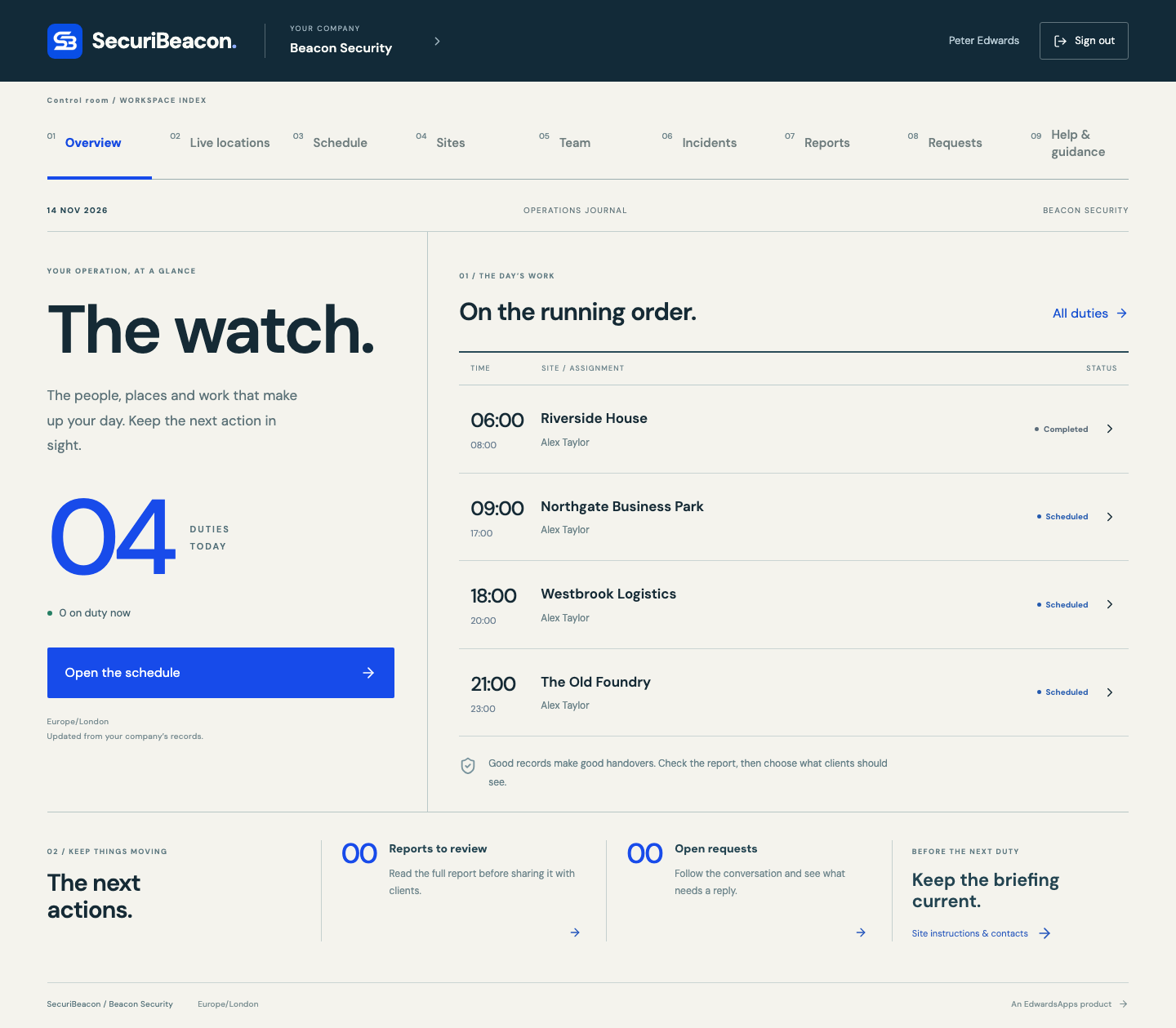
SecuriBeacon control room showing the day’s duties and next actions
The control room on the web · Shown with demonstration data. Select to enlarge.
Three workspaces
Officers, control room and clients
One connected workflow
Assign, record, review and share
£29 / month inc VAT
One subscription per company

Inside SecuriBeacon

See the workspaces.

Actual screens from SecuriBeacon on the web, shown with demonstration data. Select any screenshot to take a closer look.

SecuriBeacon control room showing the day’s duties and next actions

Control room

The day’s duties and next actions in one view.

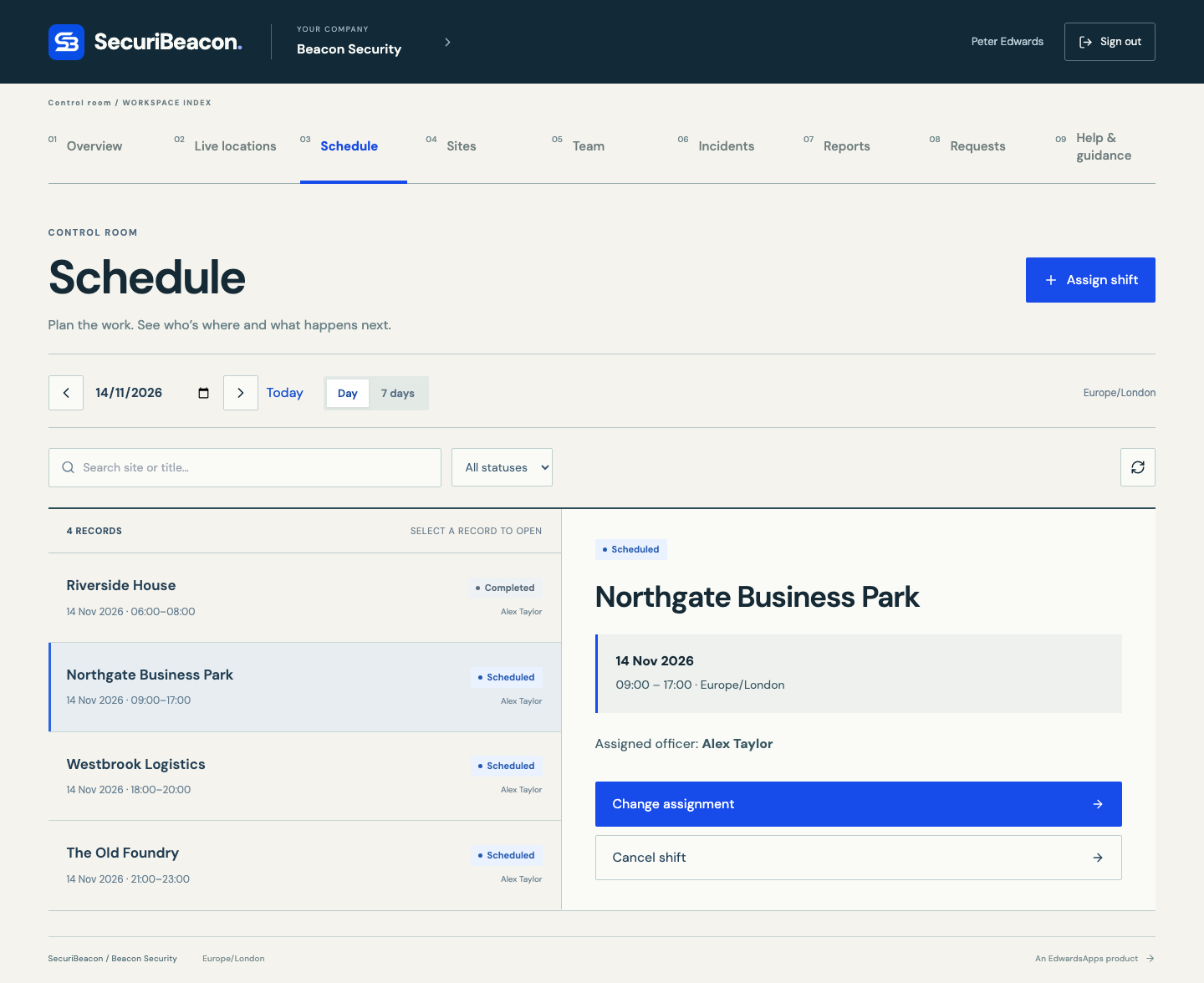
SecuriBeacon schedule showing four duties and the selected officer assignment

Scheduling

Review the rota, see an assignment and change who is covering it.

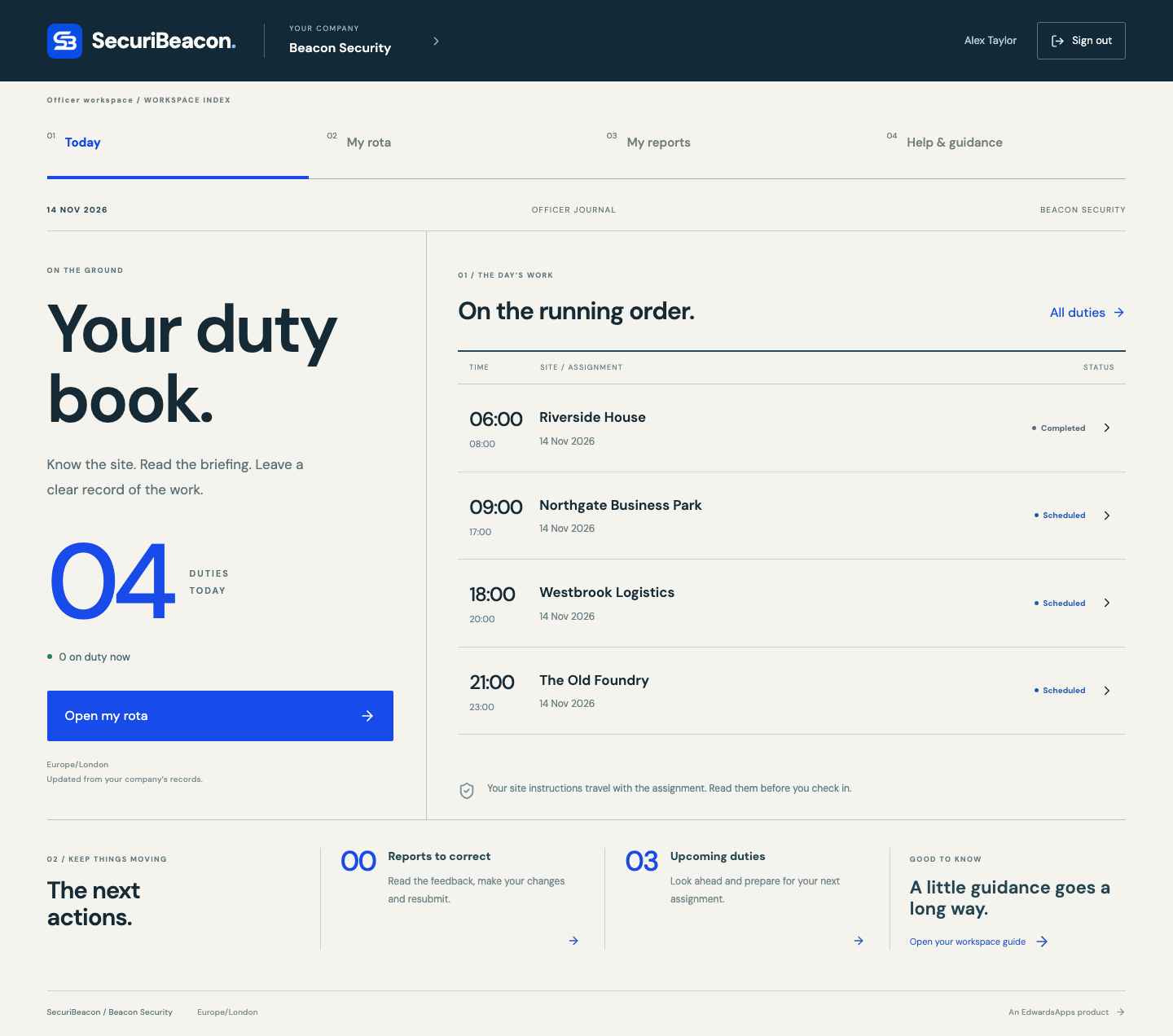
SecuriBeacon officer duty book showing assigned shifts and upcoming duties

Officer workspace

The officer’s duty book, with assigned sites, times and upcoming work.

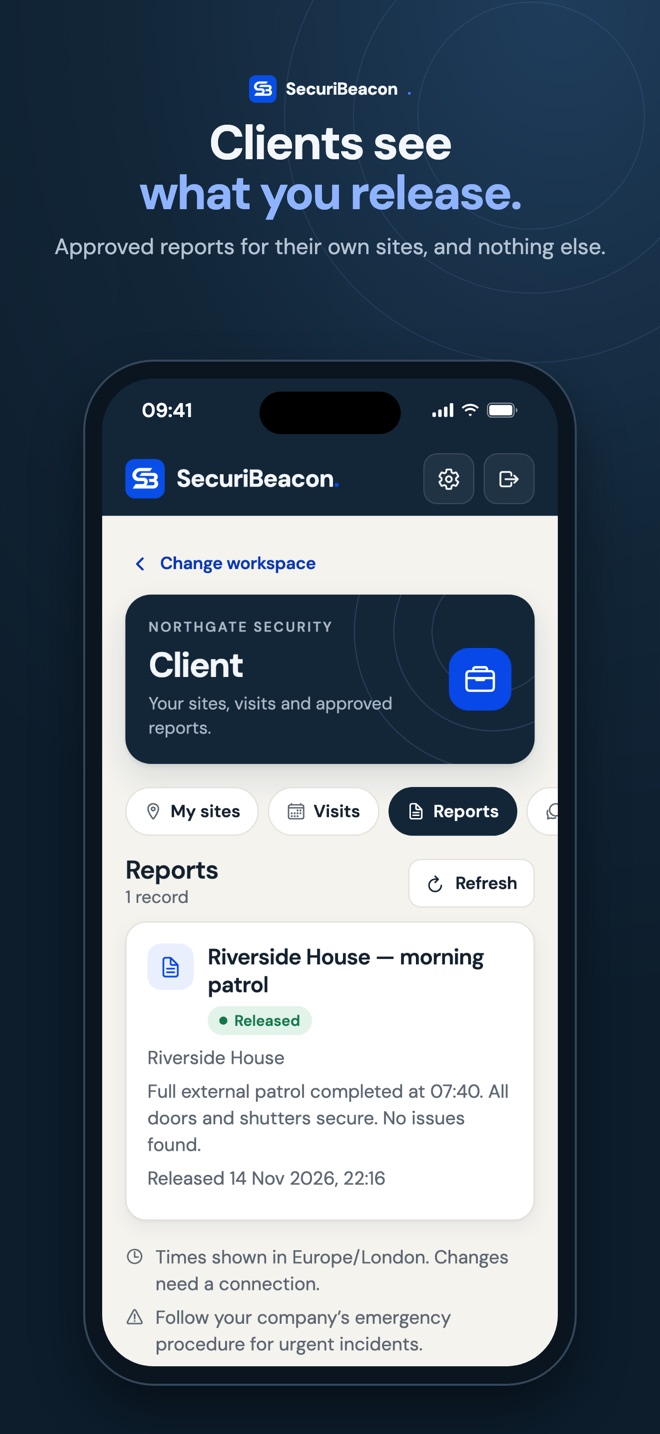
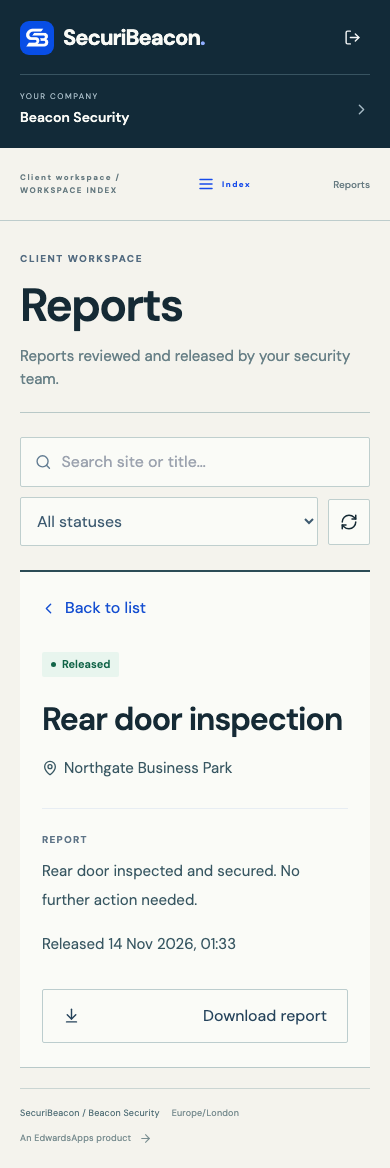
SecuriBeacon client report on a phone, showing the approved report and download action

Client reports on mobile

A released report in the client’s mobile web workspace.

The right view for the job

One operation.
Three perspectives.

The first release focuses on the handover between the people doing the work, the team coordinating it and the client who needs to know what happened.

01 / ON SITE

For officers

See assigned shifts and site details, check in and capture patrol findings or incidents. Submit a report for review and respond when more detail is needed.

  • Shift assignments and site information
  • Check-ins and shift completion
  • Reports and incident records
  • Photos and videos in the phone app, stamped with time and place
02 / IN CONTROL

For the control room

Coordinate sites and shifts, assign officers and follow the work through. Review incoming reports, return them for changes or release an approved version to the client.

  • Site and shift coordination
  • Officer assignments
  • Report review and release
03 / KEPT INFORMED

For clients

A dedicated workspace for the information shared with them. Read released reports and raise requests, with access tied to the client’s own sites and records.

  • Approved client reports
  • A clear record of shared information
  • Requests and follow-up

From assignment to approved report

A clear handover. At every step.

  1. 01

    Assign

    Set up the site, plan the shift and give your officer the details.

  2. 02

    Record

    Check in and capture patrol findings or incidents as they happen.

  3. 03

    Review

    Check the report and prepare the version your client should see.

  4. 04

    Share

    Release it to the client’s workspace and handle follow-up requests.

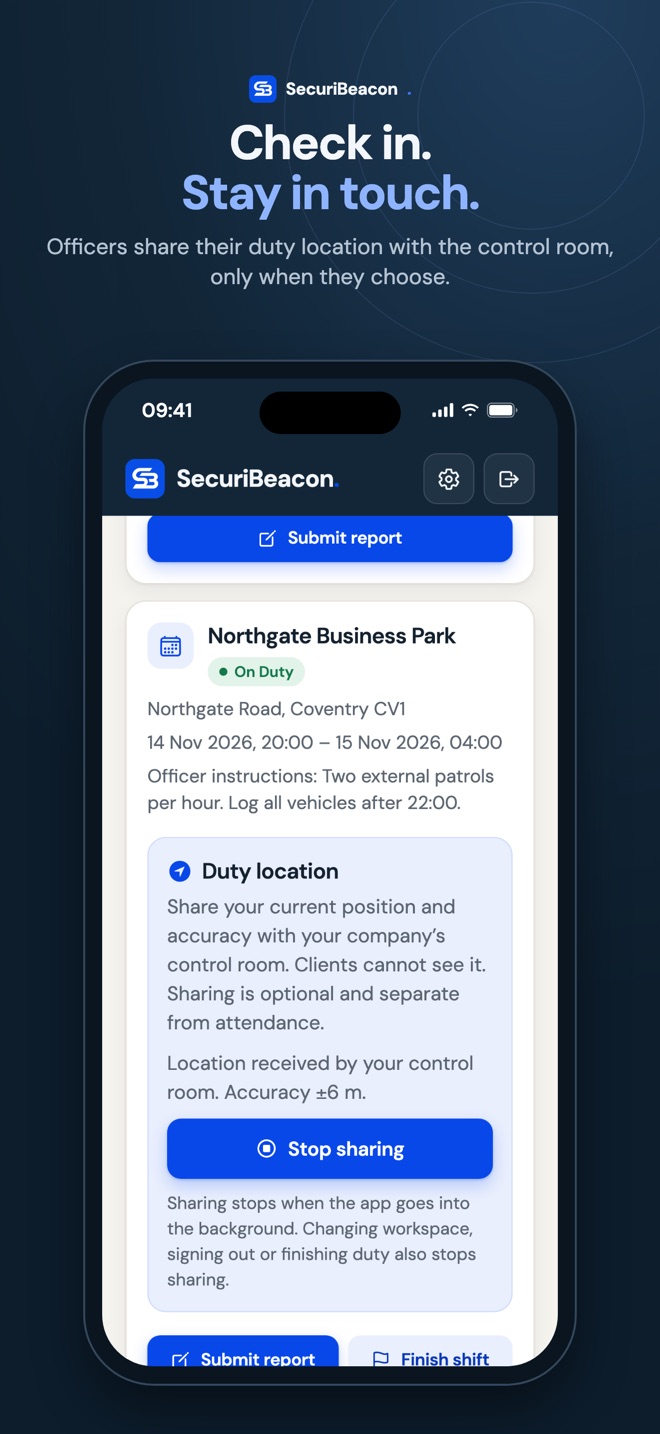
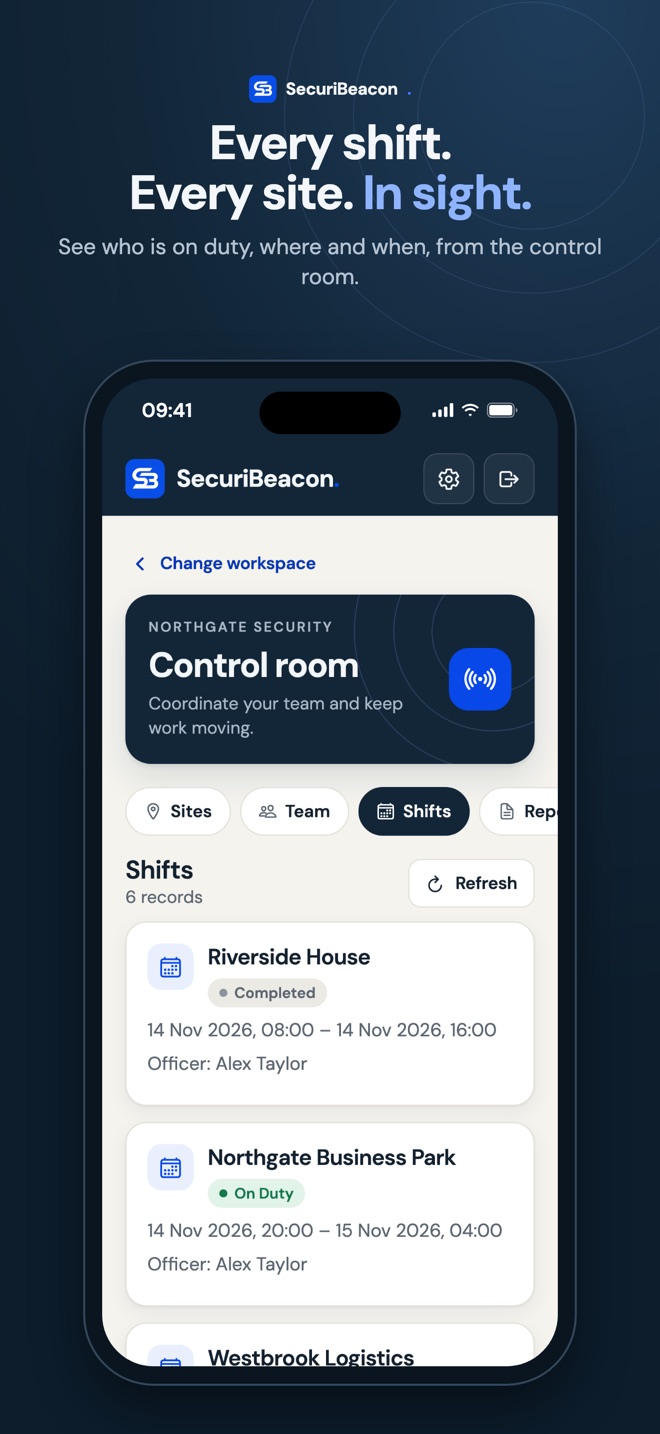
SecuriBeacon on iPhone: the control room's shifts, with who is on dutySecuriBeacon on iPhone: an officer on duty sharing their location with the control roomSecuriBeacon on iPhone: a client reading a released patrol report

The desk is optional

Your workspace.
Wherever work takes you.

SecuriBeacon for iPhone, iPad and Android puts every workspace in your pocket. Officers check in, share their duty location and write reports on site. The control room sees every shift and reviews every report. Clients read what you release and ask for extra visits.

Work for more than one company? One account opens every company and role you belong to. Sign in with Apple, Google or email.

Coming soon to the App Store and Google Play. The same account works on the web and in the apps. Pictures show demonstration data.

A new addition to EdwardsApps

Your operation.
Your input.

Tell Peter about your team, the sites you cover and the parts of the working day that could run more smoothly, or set up your company and start straight away.

Who is SecuriBeacon for?

Security companies coordinating officers, sites, shifts and client reporting.

Can I download it now?

The web workspace is ready now at securibeacon.base44.app. The iPhone, iPad and Android apps are coming soon to the App Store and Google Play, and use the same account.

What will it cost?

£29 per company per month, including VAT. One subscription covers every officer, controller and client in your company. Subscribe on the SecuriBeacon website or in the iPhone app; it renews monthly until you cancel.

Can I delete my account?

Yes. In the app, tap the settings cog; on the website, open Settings. Download your information, then delete your account. We complete deletion within one month. See the SecuriBeacon privacy notice.

Help and support

Here when you need us.

Questions about SecuriBeacon, your company's account or the apps? Get in touch with Peter directly.