Studiobooks

The back office for app and software studios.

Proposals your clients accept online, service agreements, a monthly billing run, invoices and credit control, and a portal where each client sees what you have sent them, under your logo and colours rather than ours. Studiobooks runs EdwardsApps' own paperwork today; it was opened up so any studio can run theirs on it.

Free to use today · no card neededOn the web at studiobooks.app. An iPhone and iPad app is on its way.

Already on Studiobooks? Sign in at studiobooks.app. If a studio has sent you a proposal or an invoice, sign in with the address it came to and it will be waiting for you.

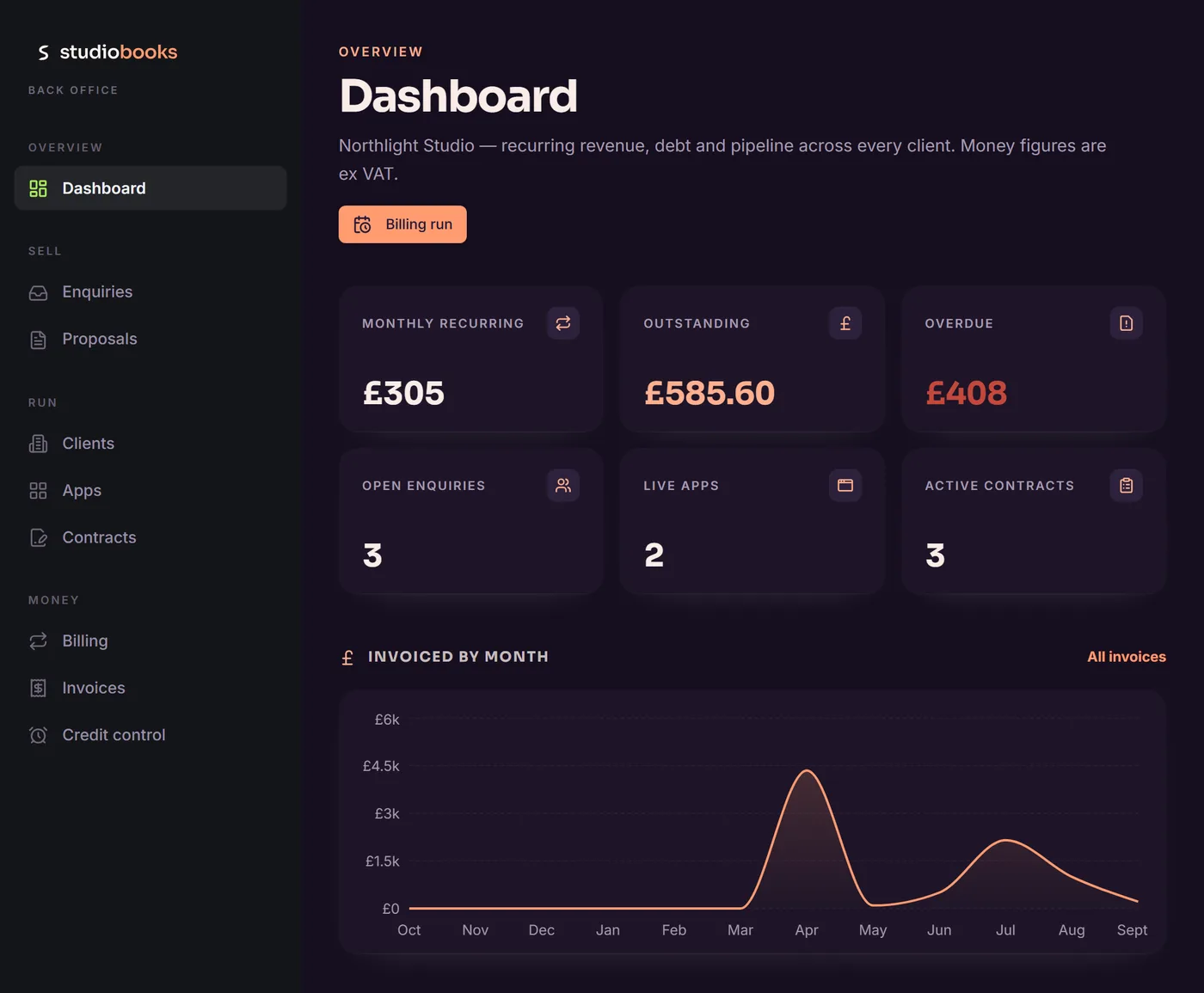
The Studiobooks dashboard for a studio: monthly recurring, outstanding and overdue totals, open enquiries, live apps and active contracts, and invoicing by month

The problem

The paperwork between winning the work and getting paid for it.

A small studio wins a piece of work and the paperwork starts. The proposal lives in a document somewhere, the agreement is a PDF attached to an email, the monthly invoice is a template somebody remembers to fill in, and the record of who has paid is a spreadsheet that is right most of the time. A client asks for a copy of last March's invoice and somebody goes looking. None of it is difficult; it is just spread across five places, and every one of them depends on somebody remembering.

Studiobooks puts it in one place. An enquiry becomes a proposal, an accepted proposal becomes a service agreement, the agreement raises its own invoice each month, and the client can see the lot in a portal that carries your name, not ours.

Getting started

Set up in a few minutes. Nothing to pay today.

Register at studiobooks.app and the setup walks you through it: company details, your VAT position, the bank details for the invoice footer, your numbering and payment terms, your logo and colours, and a first client. Everything can be changed later in Settings, and your document numbers are your own; they don't run alongside anyone else's.

Every feature, every account

Freeto use today, for the whole studio

No card to enter, no plan to pick and nothing held back. Invite your colleagues and the price stays the same. If that ever changes, this page will say so plainly.

What it does

Enquiry to proposal to agreement to invoice to cleared payment.

  • Enquiries that arrive already filed

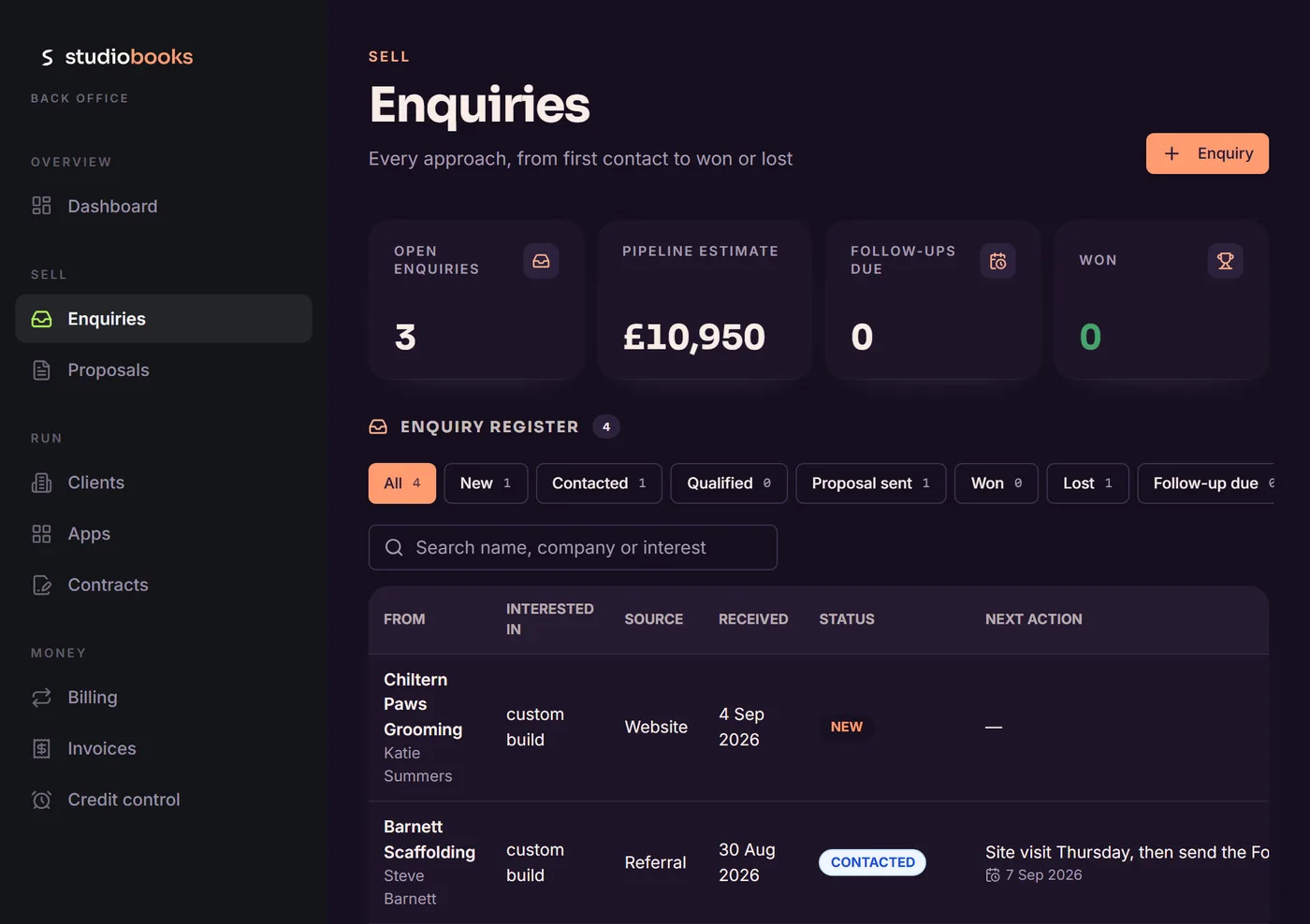
    Point your website's contact form at Studiobooks and each enquiry lands in the register with the name, email address and message intact, and an email to you saying it has arrived. Add the ones that come by phone yourself. Each carries its source, a status from new through to won or lost, and a next action with a date, so following up is somebody's job rather than everybody's. Either way, an enquiry becomes a proposal without anything being retyped.

    The enquiry register: open enquiries and a pipeline estimate above a list of approaches, each with its source, date received, status and next action
  • Proposals your clients answer online

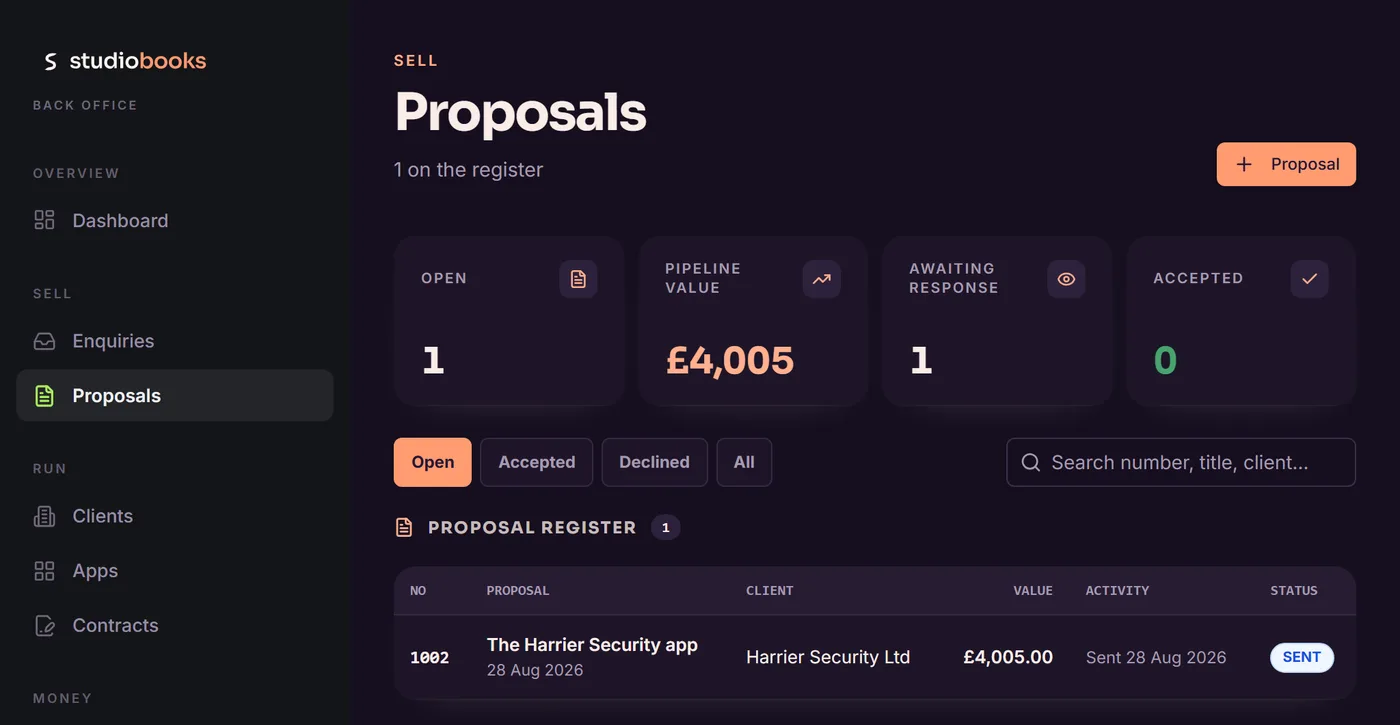
    Write the proposal in the app, with your logo and colours on it, and send a link rather than an attachment. The register shows what is open, what it is worth and who has yet to reply. The client reads it in their browser and accepts or declines there, adding a note if they want to. You can see when it was first opened, and a revised version supersedes the old one rather than leaving two in circulation.

    The proposals register: open proposals, pipeline value and responses awaited, with one proposal sent and awaiting a reply
  • What the client sees

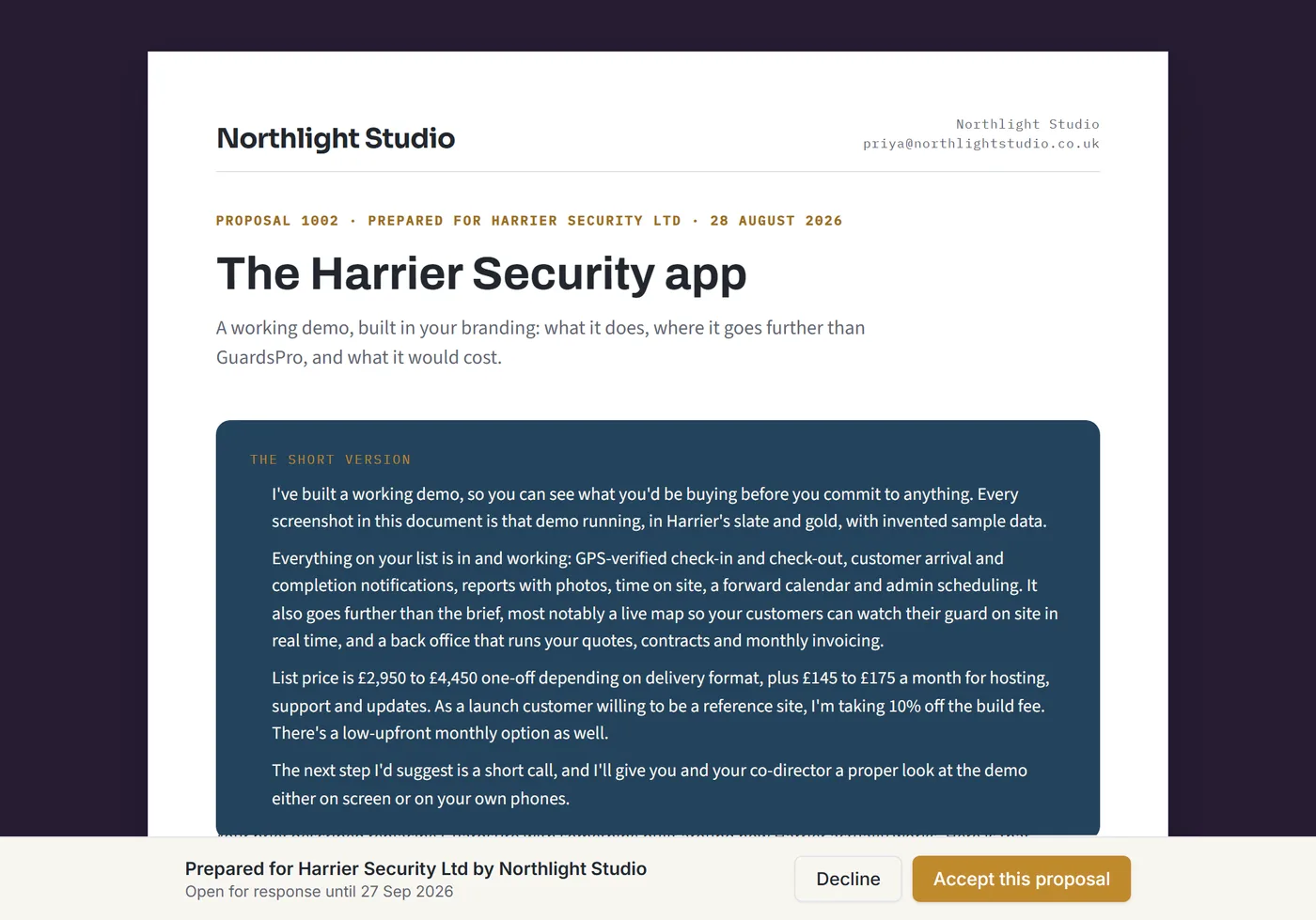
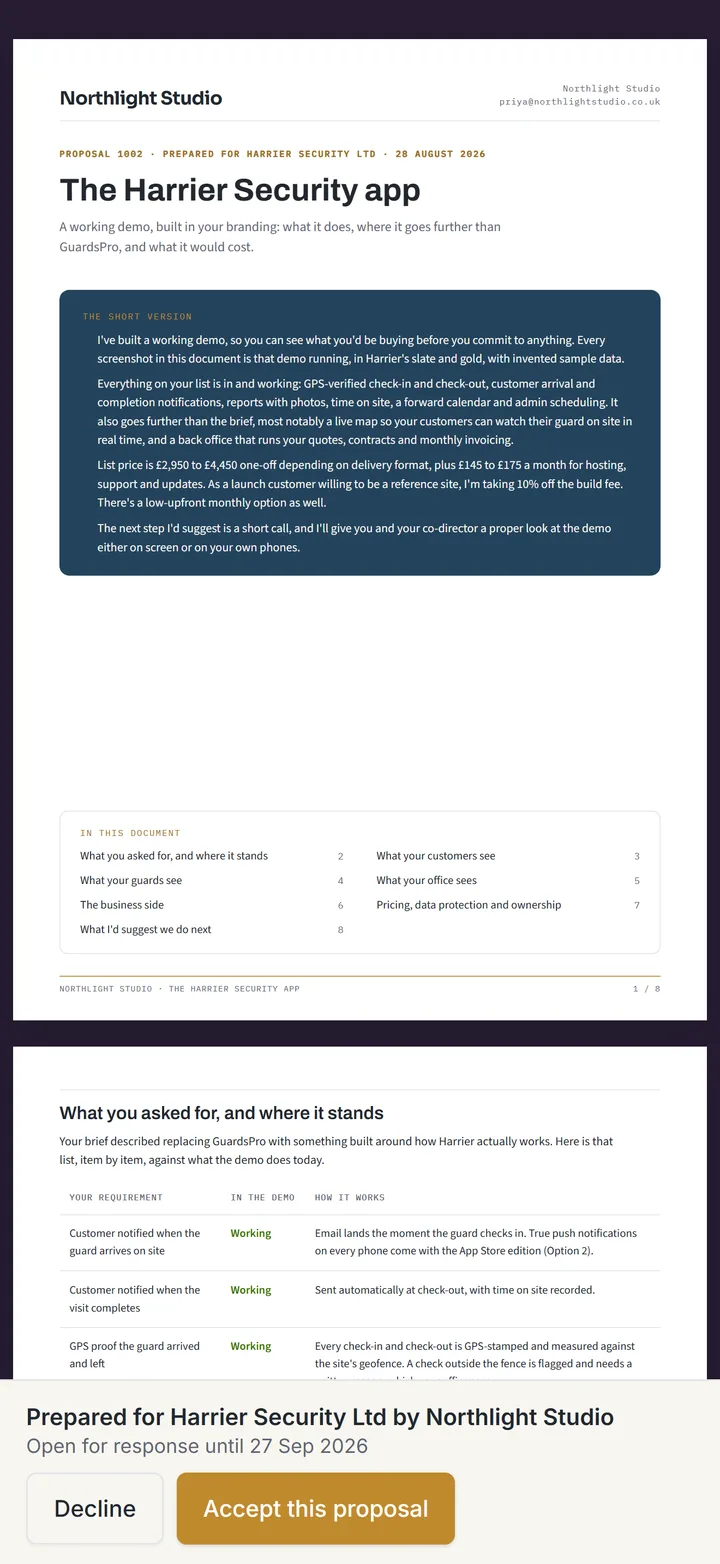
    The proposal opens as a page under your name, with the short version up top, the scope, the price and the terms laid out below, and two buttons that stay in view: decline, or accept this proposal. No account is needed to read it or to answer it; the link is enough.

    A proposal as the client sees it, headed with the studio's name, with a summary panel and Decline and Accept this proposal buttons along the bottom
  • Agreements that raise their own invoices

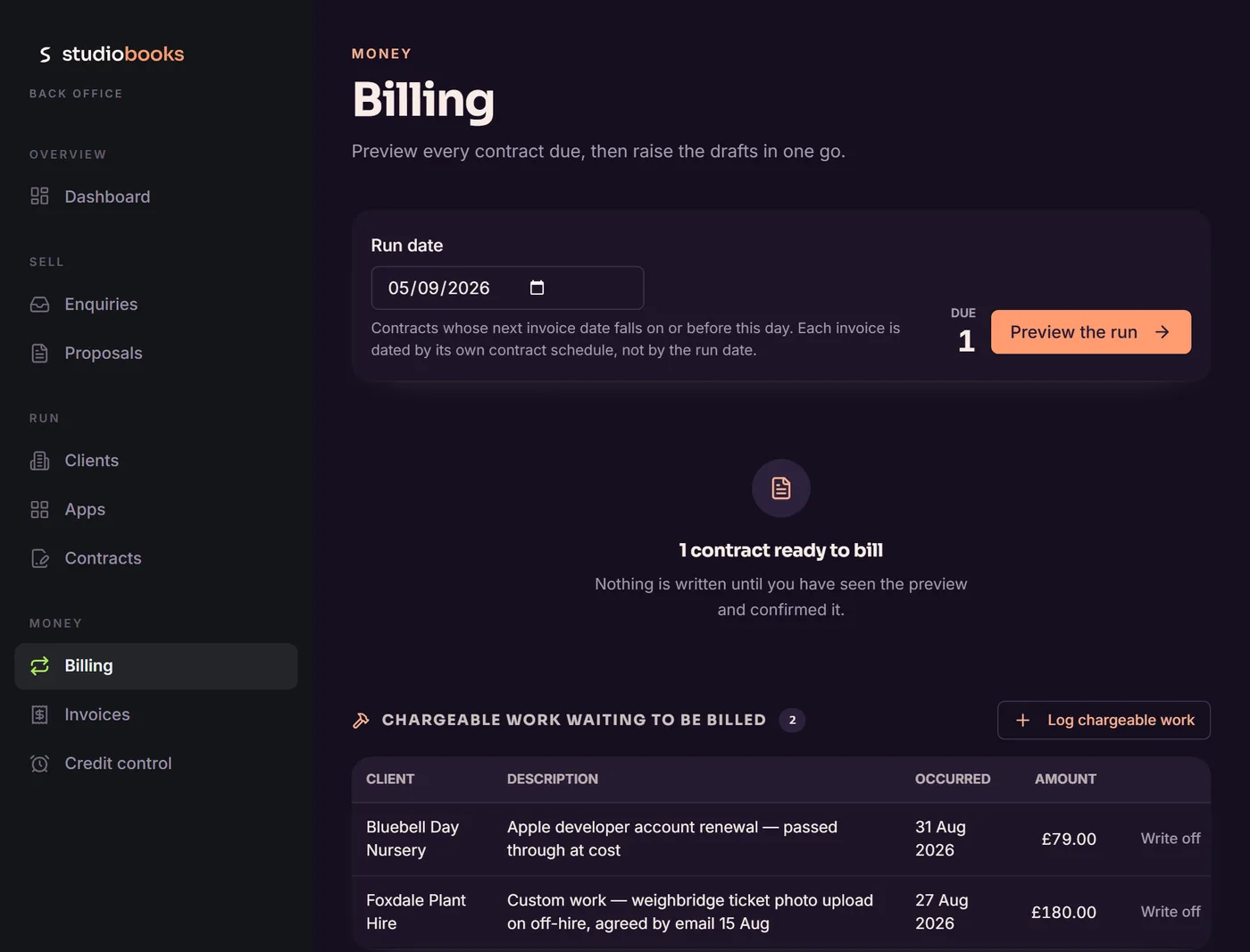
    A contract carries the monthly amount, the build fee if there is one, and the payment terms, and produces the order form your client signs. From then on the agreement, rather than somebody's memory, is what raises the invoices. The billing run reads your live contracts and raises the month's invoices as drafts for you to look over, numbered in sequence only when they are issued. It shows what it is about to do before it writes anything, and a period is billed once, so running it twice doesn't produce two invoices. Chargeable extras (a developer account renewal passed through at cost, say) wait on the same page and go on the next invoice. VAT is added if you are registered and left off if you are not.

    The billing page: a run date with one contract ready to bill, and two pieces of chargeable work waiting to go on the next invoice
  • Invoices and credit notes, sent under your name

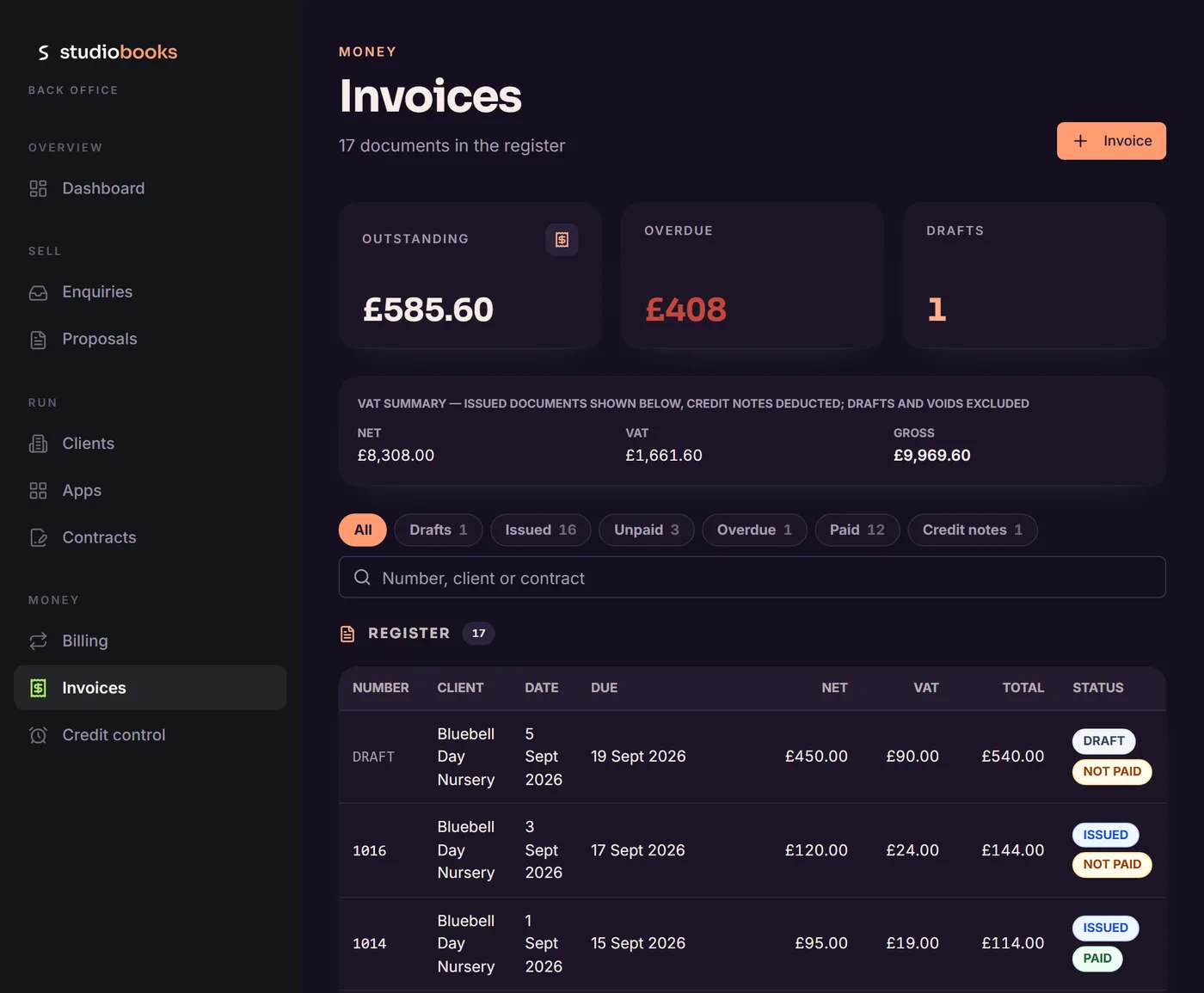
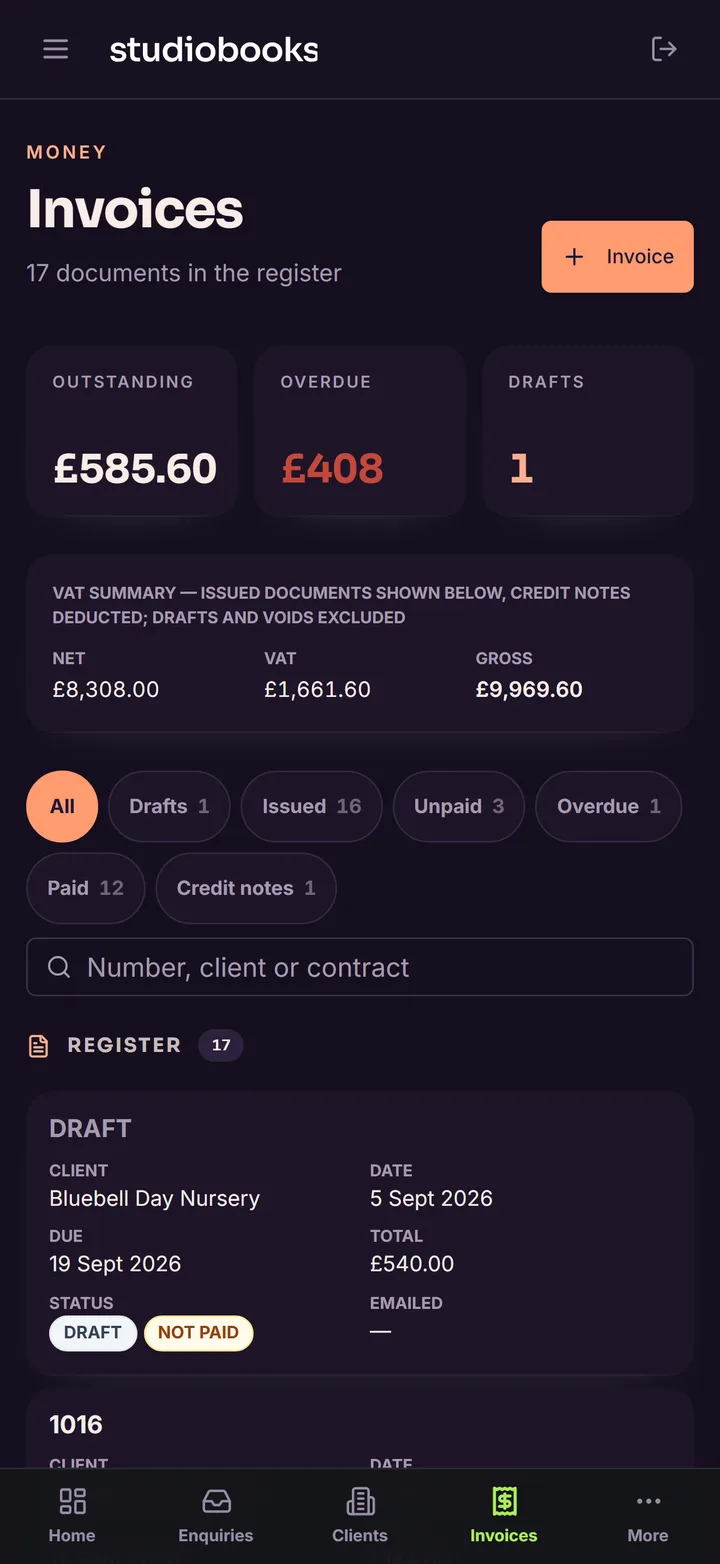
    Issue an invoice and it goes to the client by email from your studio, not from us, with your bank details in the footer. Record payments as they come in, in full or in part, and correct an issued invoice with a credit note rather than an edit, so the register always adds up to what was actually sent. The VAT summary at the top is taken from the same documents, so it never disagrees with them.

    The invoice register: outstanding, overdue and draft totals, a VAT summary, and invoices marked draft, issued, paid or not paid
  • Who owes what, and for how long

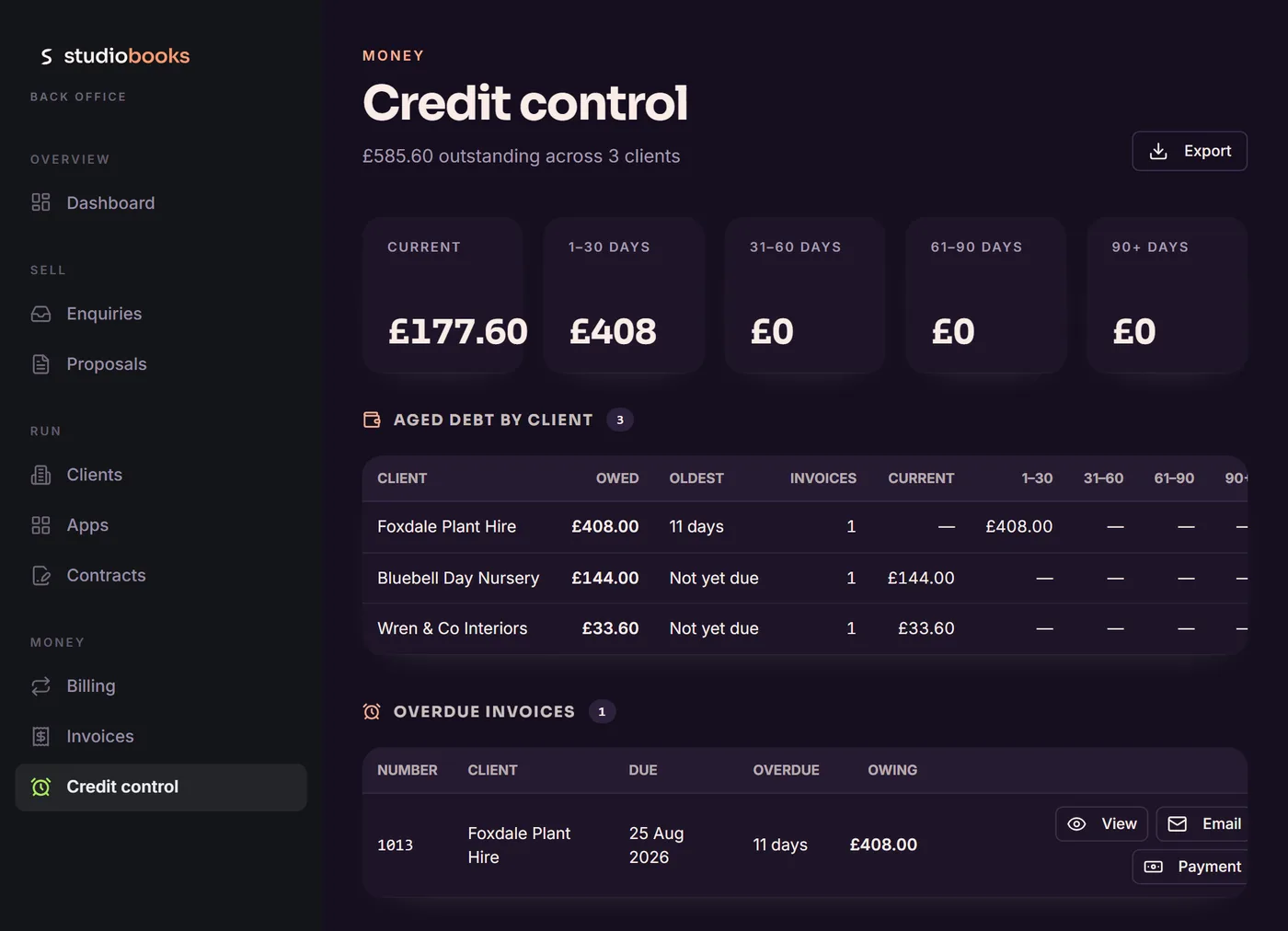
    Every issued invoice with a balance, grouped by how overdue it is, with the total against each client. Re-send the invoice, record a payment or open the document from the same row. The chasing is still yours to do; the screen just tells you where to start.

    Credit control: outstanding money in aged bands, aged debt by client, and an overdue invoice with view, email and payment actions
  • One client book behind everything

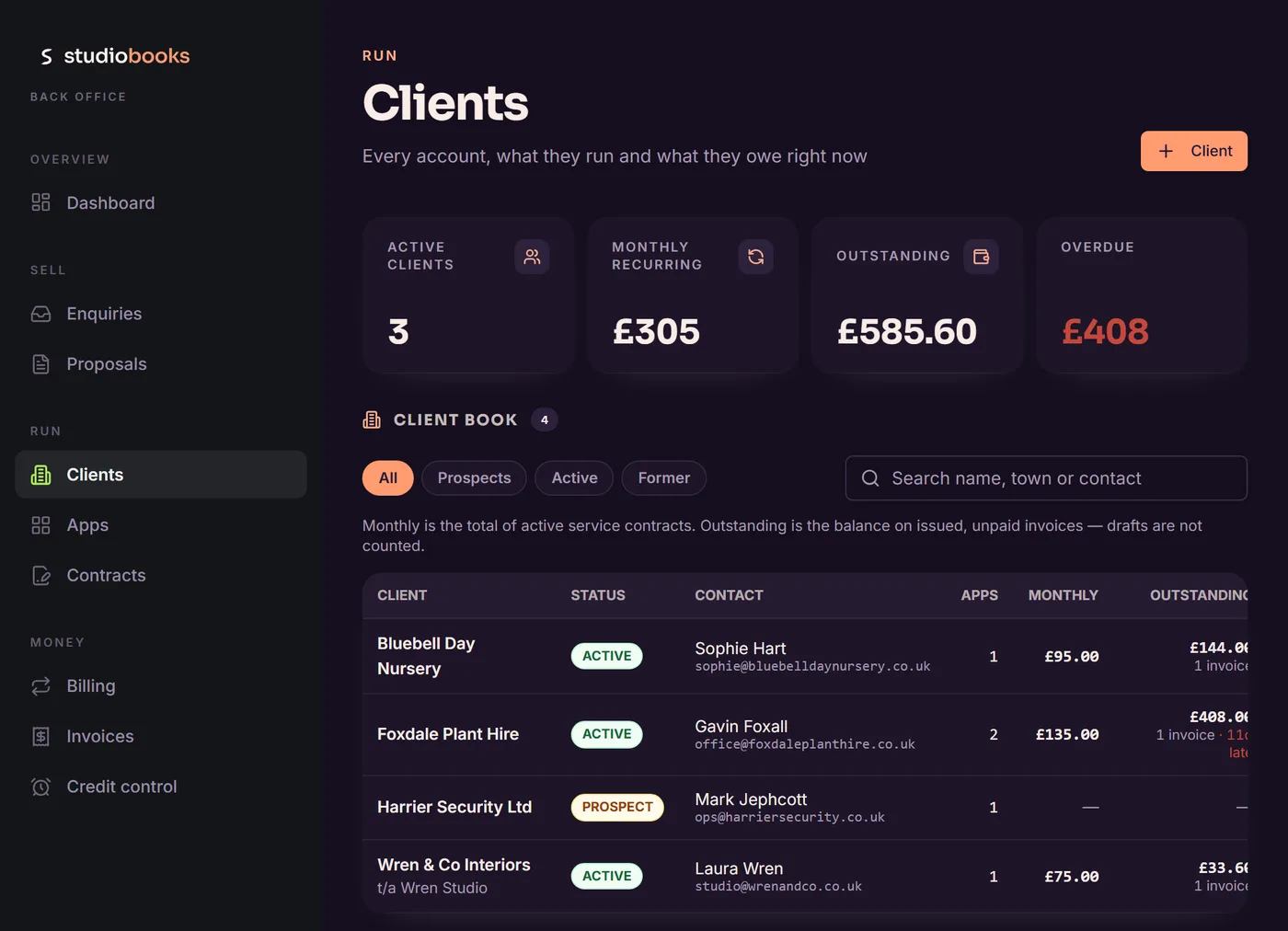
    Every client with their contacts, the apps you run for them, what they pay each month and what they owe right now, taken from the same contracts and invoices the documents were printed from. A prospect becomes a client the day their proposal is accepted; nothing is entered twice.

    The client book: active clients, monthly recurring, outstanding and overdue totals, and four clients with status, contact, apps, monthly value and balance
  • A portal for every client, in your colours

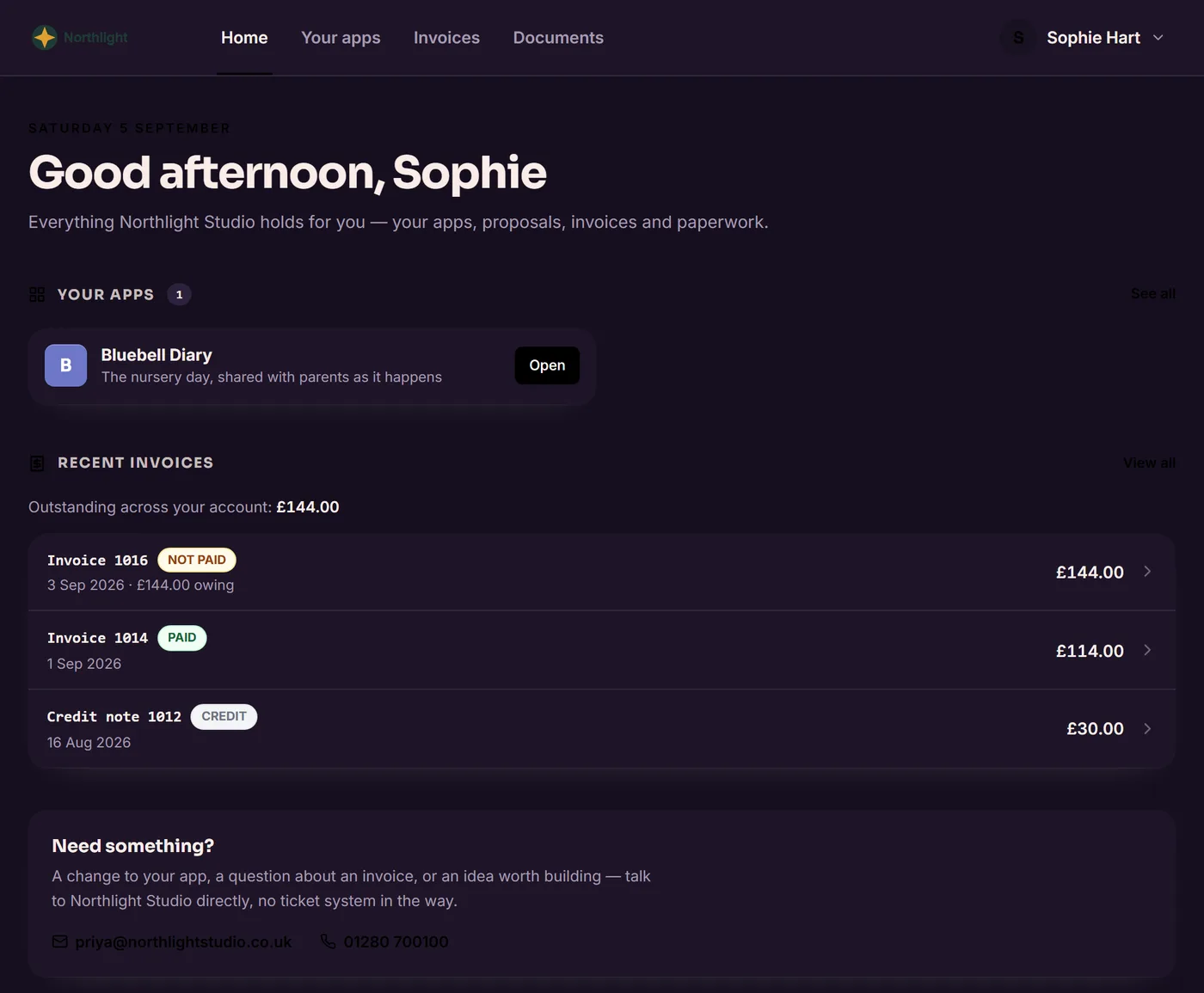
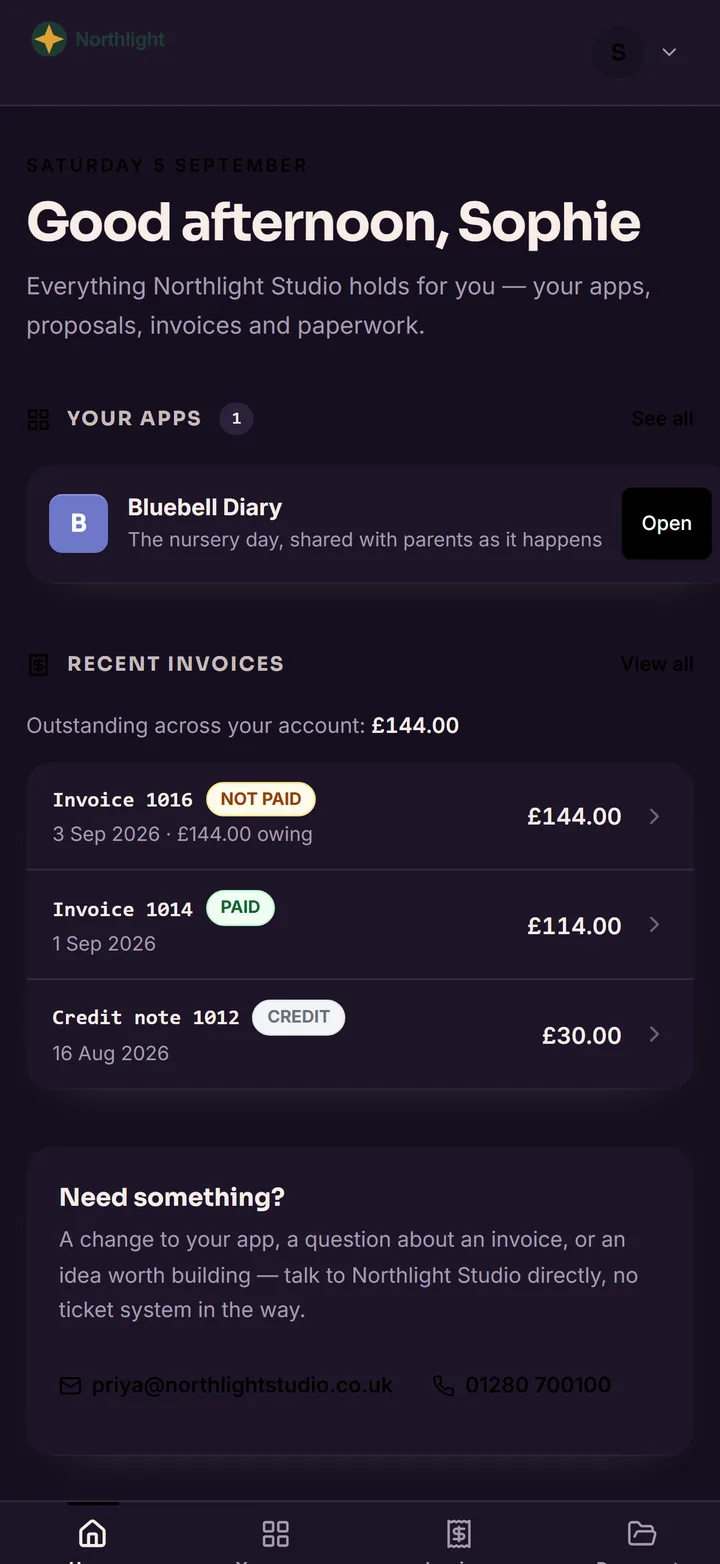
    Your clients sign in with the address you send documents to and see their proposals, invoices, the apps you have built for them and the documents you have shared, and nothing of anyone else's. It carries your logo, your colours and your contact details; Studiobooks appears only as a line in the footer. Share an agreement, a data-processing document or a getting-started guide and it is there when they need it, so "can you resend that?" stops being an email.

    A client's portal home under their studio's own name and mark: their app, recent invoices with a credit note, and how to get in touch
  • Set up once, revise any time

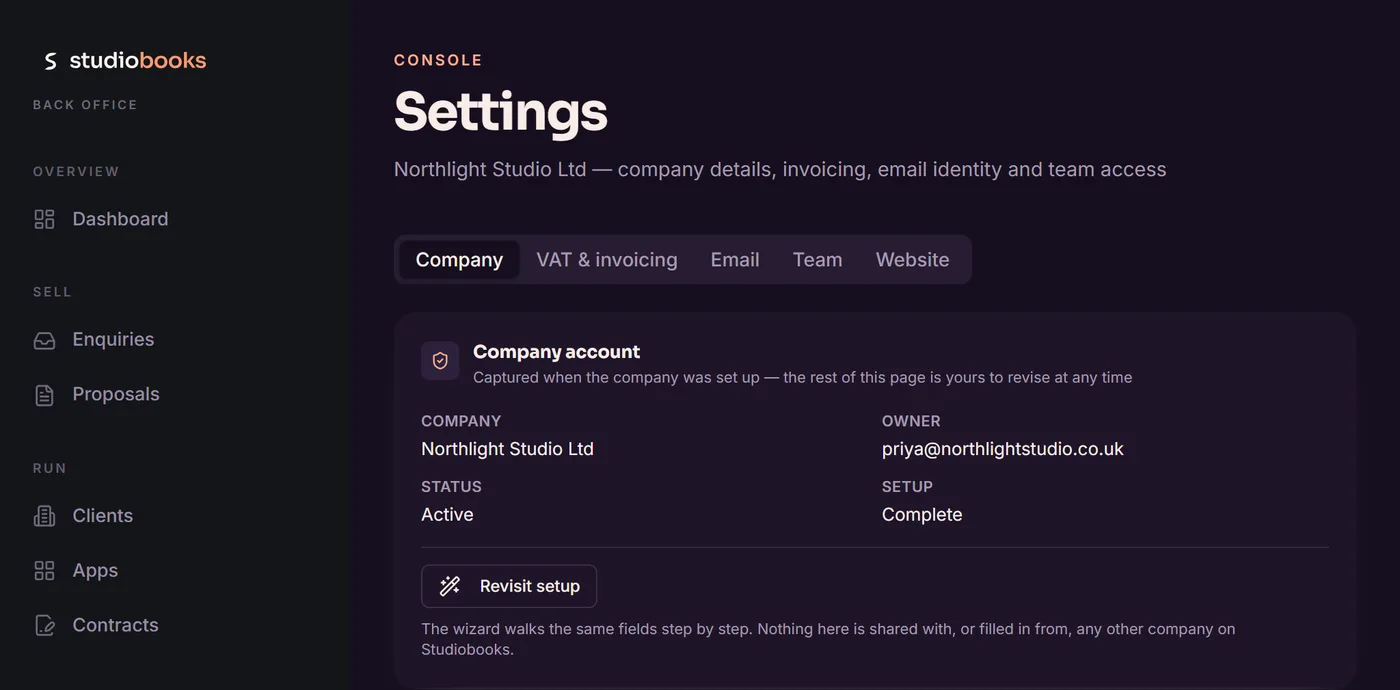
    Company details, your logo and colours, VAT position, bank details for the invoice footer, the name your emails go out under, your team and your website's enquiry key all live in Settings, and the setup wizard walks the same fields if you would rather be led through them. Nothing here is shared with, or filled in from, any other company on Studiobooks.

    Settings: the company account with tabs for company, VAT and invoicing, email, team and website, and the identity and trading address panels

On a phone too

The same account in your pocket.

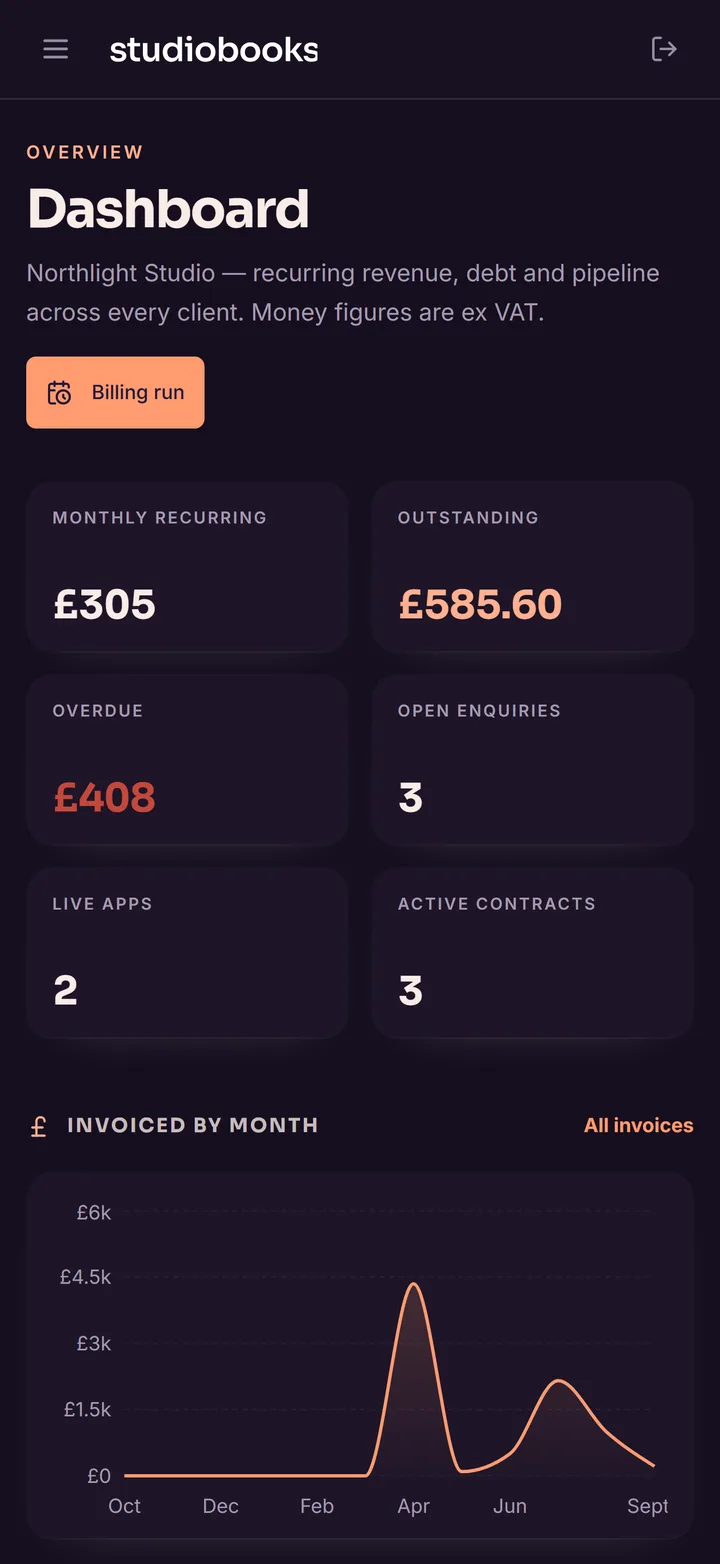
Studiobooks is a web app, so it works in the browser on a phone as it does at a desk: the dashboard, an invoice, a proposal waiting for a client's answer, and the portal your clients see. An iPhone and iPad app is on its way.

The Studiobooks dashboard on a phone: monthly recurring, outstanding, overdue and open enquiries, with invoicing by month below
Dashboard: the month at a glance
A proposal on a phone as the client sees it, with the studio's name at the top and Decline and Accept this proposal buttons at the bottom
A proposal, as the client sees it
The invoice register on a phone, with outstanding and overdue totals and invoices marked paid or not paid
Invoices: paid, not paid, overdue
The client portal on a phone, under the studio's own name: the client's app and recent invoices
The portal, in the studio's colours

Kept apart, kept private

Each studio sees its own records and nothing else.

Every company on Studiobooks is walled off from every other one, and a client sees only what their studio has chosen to share. These are the rules the app is built on, not settings to remember.

  • Your clients see only what you've shared

    A client signs in with the address a document was sent to and sees the proposals, invoices, apps and documents shared with that address. Nothing is visible to them until you share it.

  • One studio never sees another

    Records are tied to your company and to your staff's email addresses. Bank details and VAT numbers are held on the server and never sent to the browser.

  • Analytics only if you say so

    No advertising and no push notifications. Google Analytics runs only if you accept it when asked, and you can change your mind at any time. Sign in with Apple or Google, or with an email address and password.

  • Your data, your say

    Delete your account from Settings at any time. For what you hold about your own clients, KAE Ltd (the company behind EdwardsApps) is the processor and acts only on your instructions. The detail is in the privacy policy and terms.

Studiobooks or CrewQCI?

The same shape of pipeline, for two different trades.

Studiobooks is for studios and agencies that sell work by proposal and bill by the month: proposals accepted online, service agreements, recurring invoices and a portal for each client.

CrewQCI is for construction and trade businesses: quotes, applications for payment, retentions, CIS reverse charge and automatic debt chasing, the way main-contractor work actually gets paid.

Where it comes from

It started as our own back office.

The Studiobooks logo: a ribbon S beside the word studiobooks

Studiobooks began as the paperwork behind EdwardsApps: the proposal we send a new customer, the service agreement that follows it, and the invoice that goes out each month. Once it was running this business it was opened up so any studio could run theirs on it, with its own company, its own numbering and its own branding. Ask us for a custom build and the proposal you get back comes from Studiobooks, and so does the invoice.

It is made in Buckinghamshire by EdwardsApps, a trading name of KAE Ltd, and supported by the person who built it.

See it running.

Peter will walk you through Studiobooks on work shaped like yours, and say if he doesn't think it suits you. Or set your studio up yourself at studiobooks.app; it takes a few minutes and there is nothing to pay.

Request a walkthrough