Lifetime Premium No trial
£2.99once, including VAT
Paid via the App Store on iPhone, or through Stripe for Android and web after sign-in. One household, no subscription and no adverts.
OurSpace
For the household you share
OurSpace keeps a household's moving parts in one place — shared tasks, calendars, meals, budgets, lists and reminders — so the mental load is easier to share. It's live on the Apple App Store and Google Play.
New Connect OurSpace to your AI assistant
£2.99 inc VAT onceLifetime Premium on iPhone, Android and web.
Prefer the browser? OurSpace also runs at our-space.me.
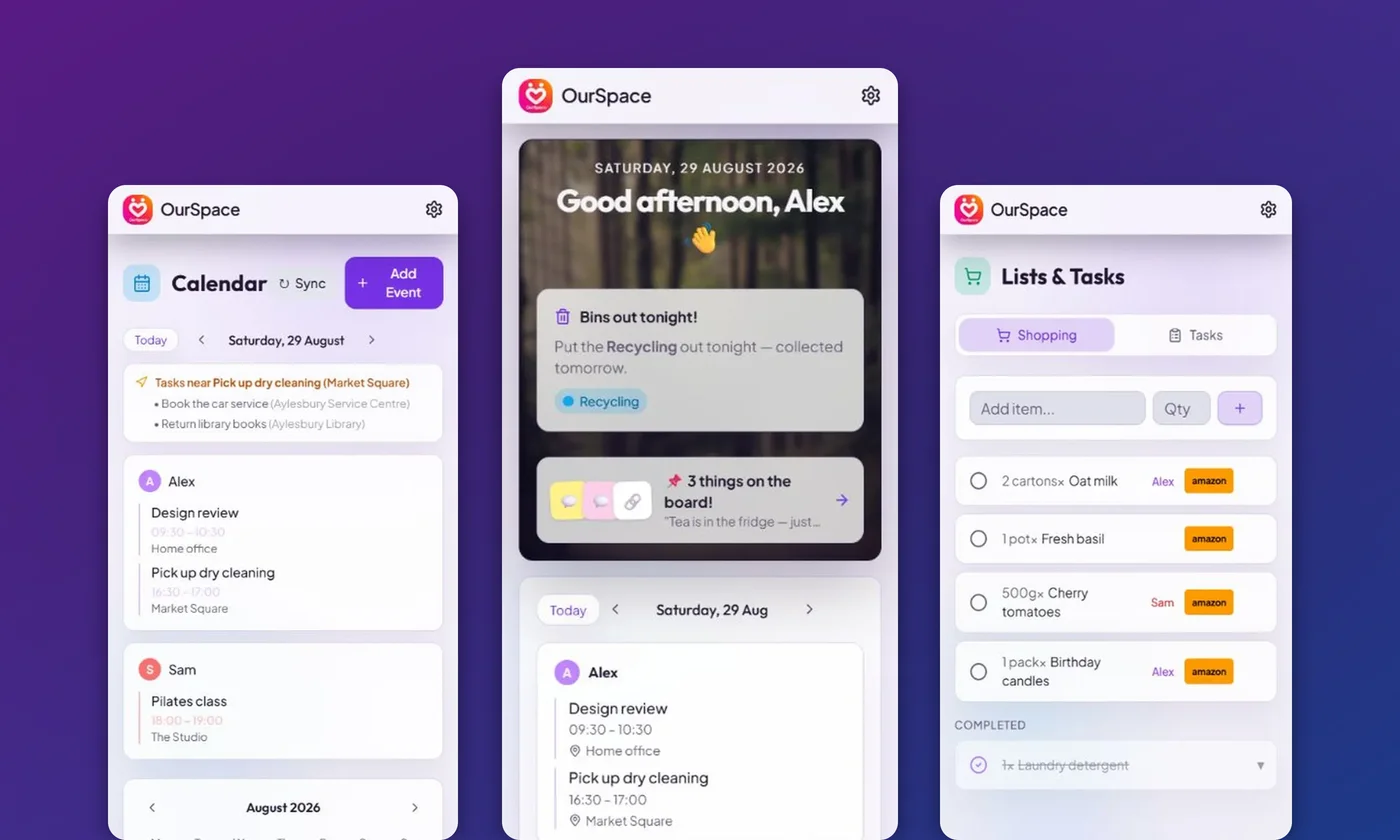
OurSpace on your phone: your calendar, home and shopping list, together.
Inside OurSpace
Choose a part of household life, then switch between a laptop and a phone to see the same OurSpace in a different way.
A closer look 04 views
OurSpace, up close.Real screens. The details that make a difference.
OurSpace / Your day
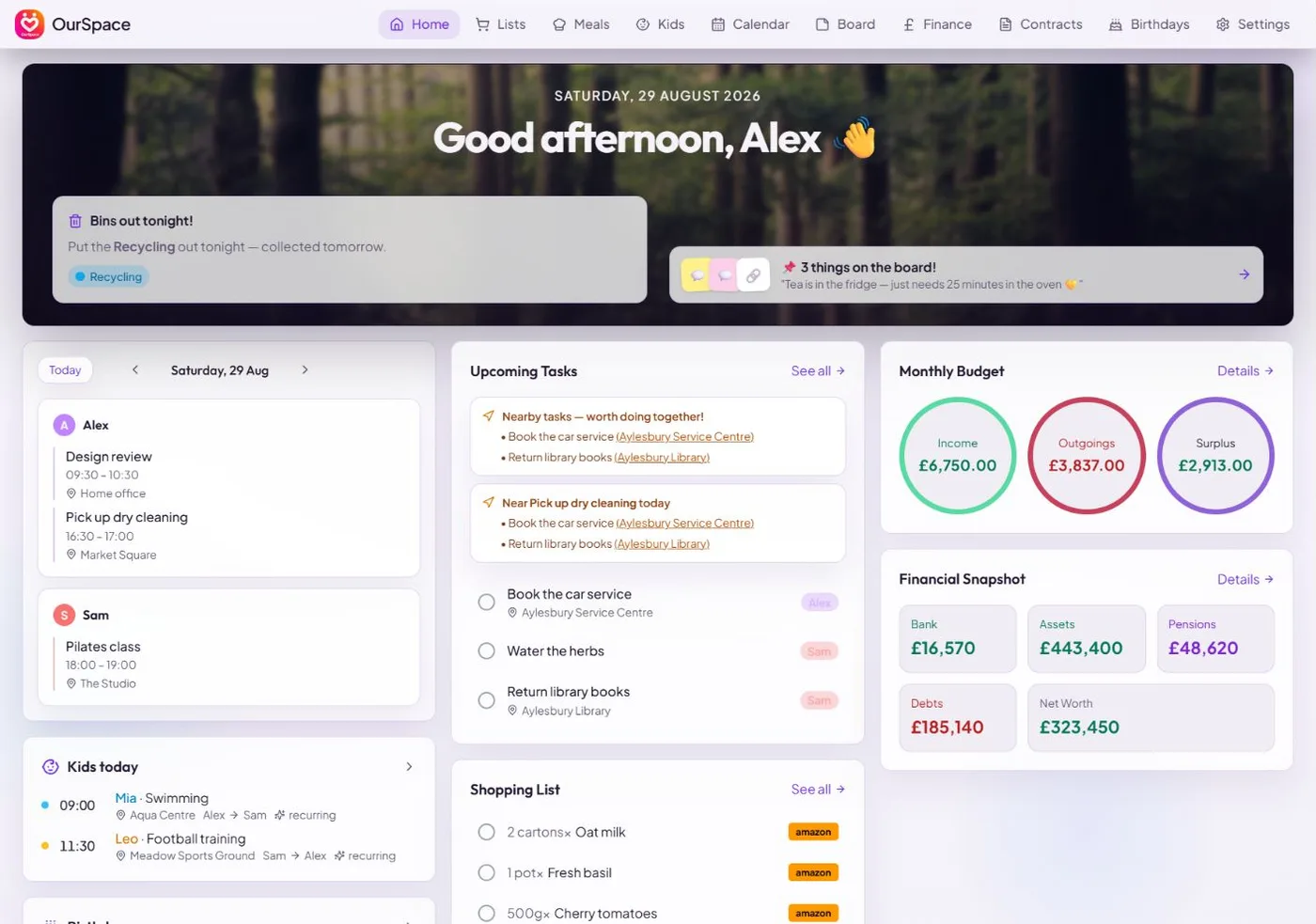
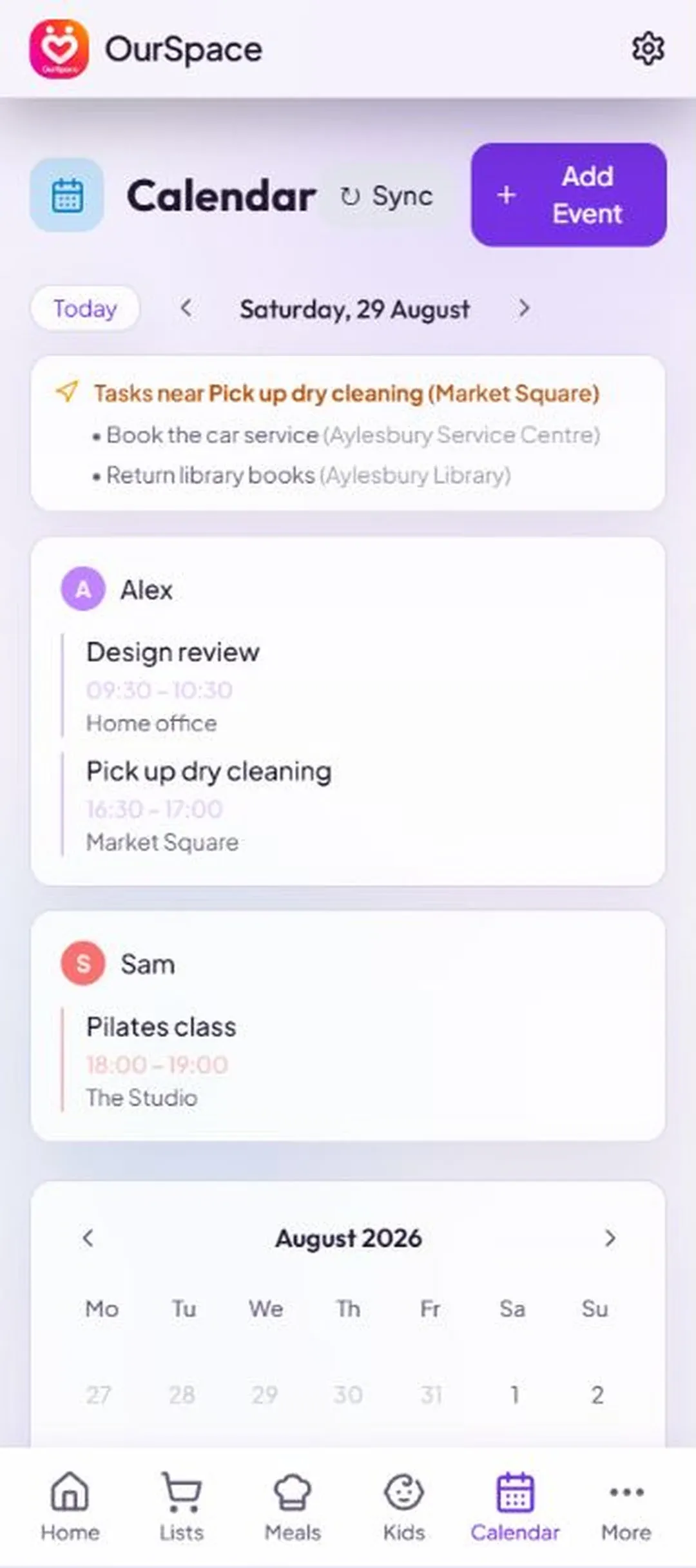
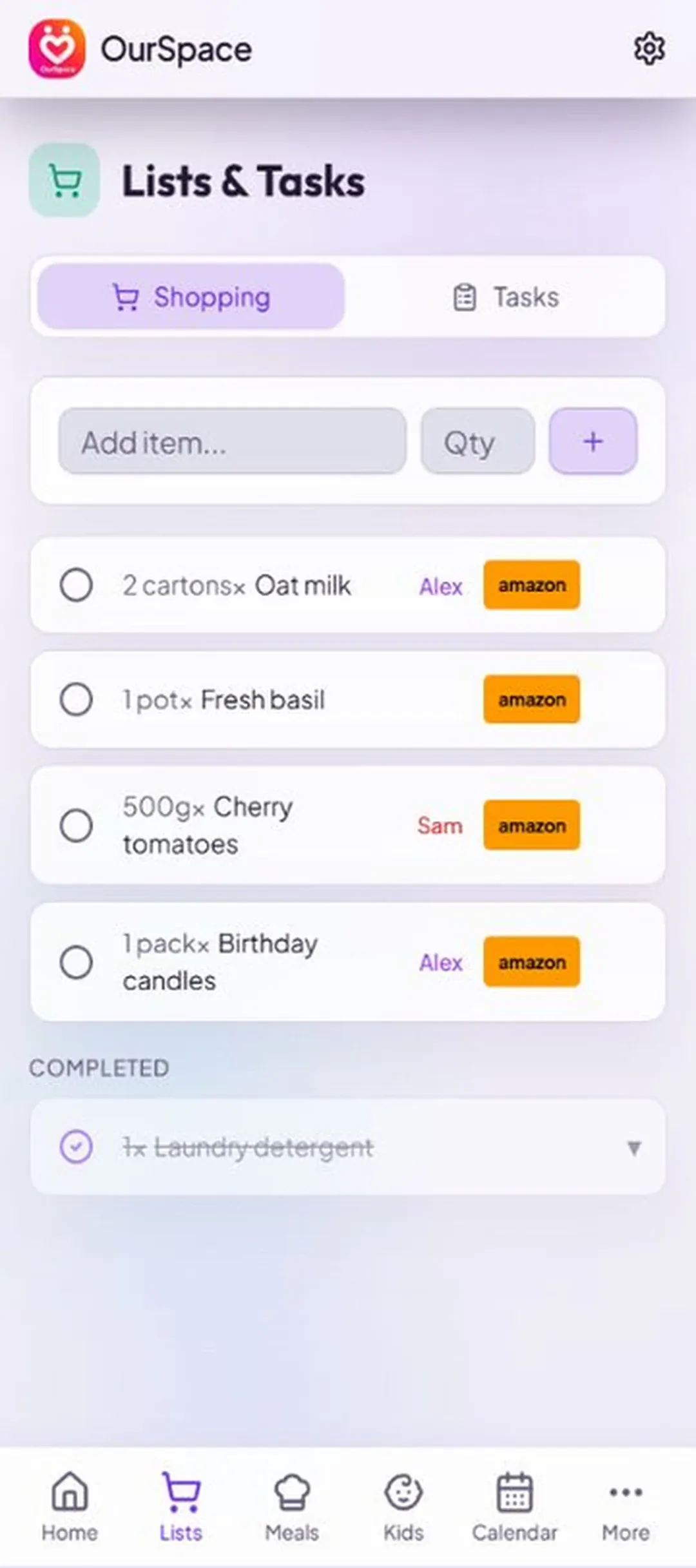
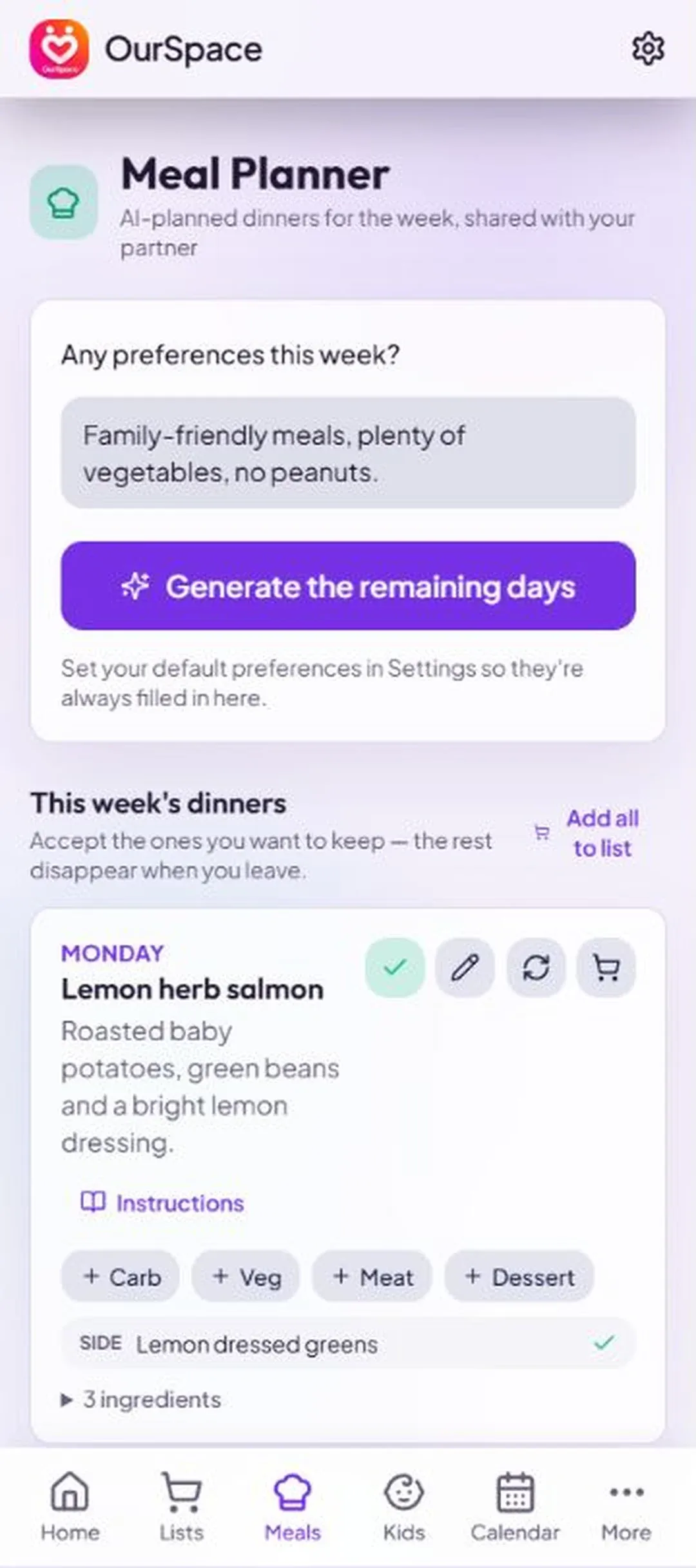
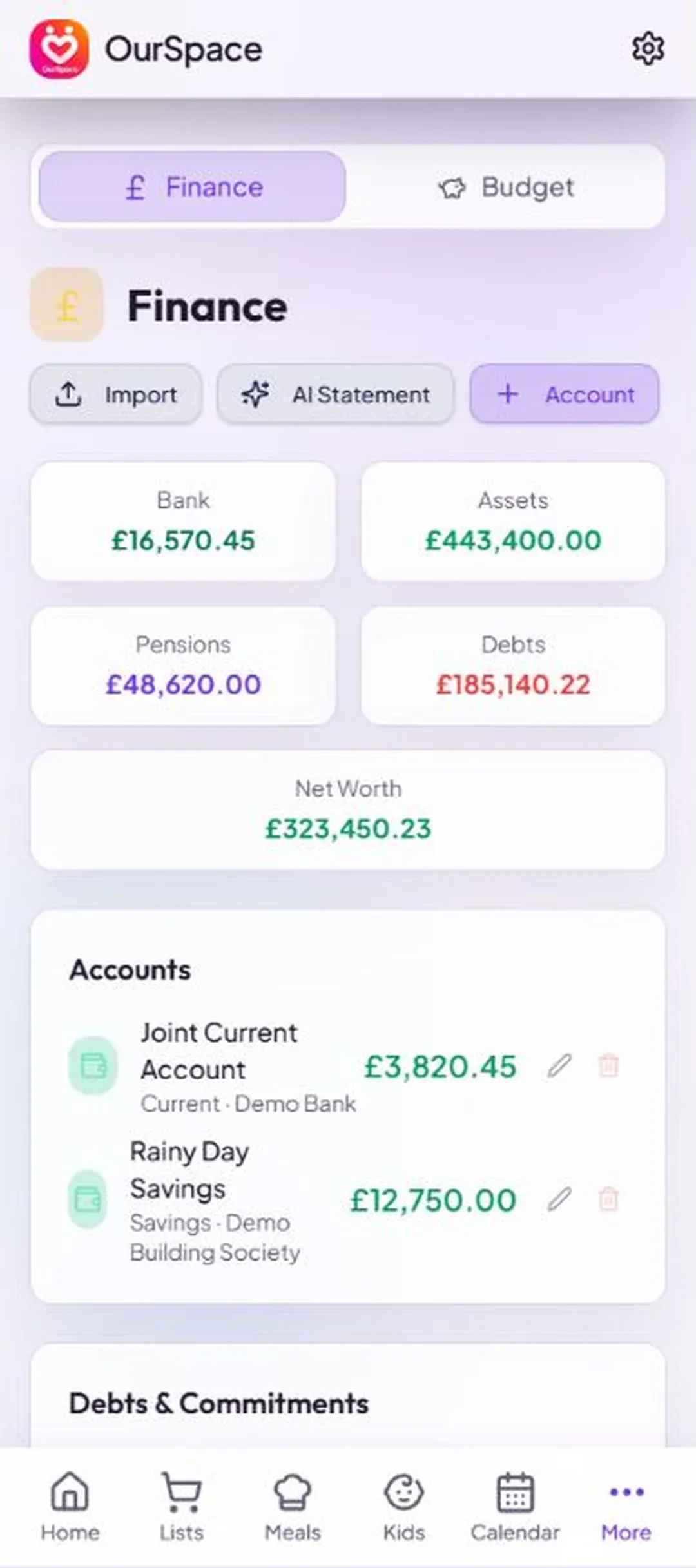
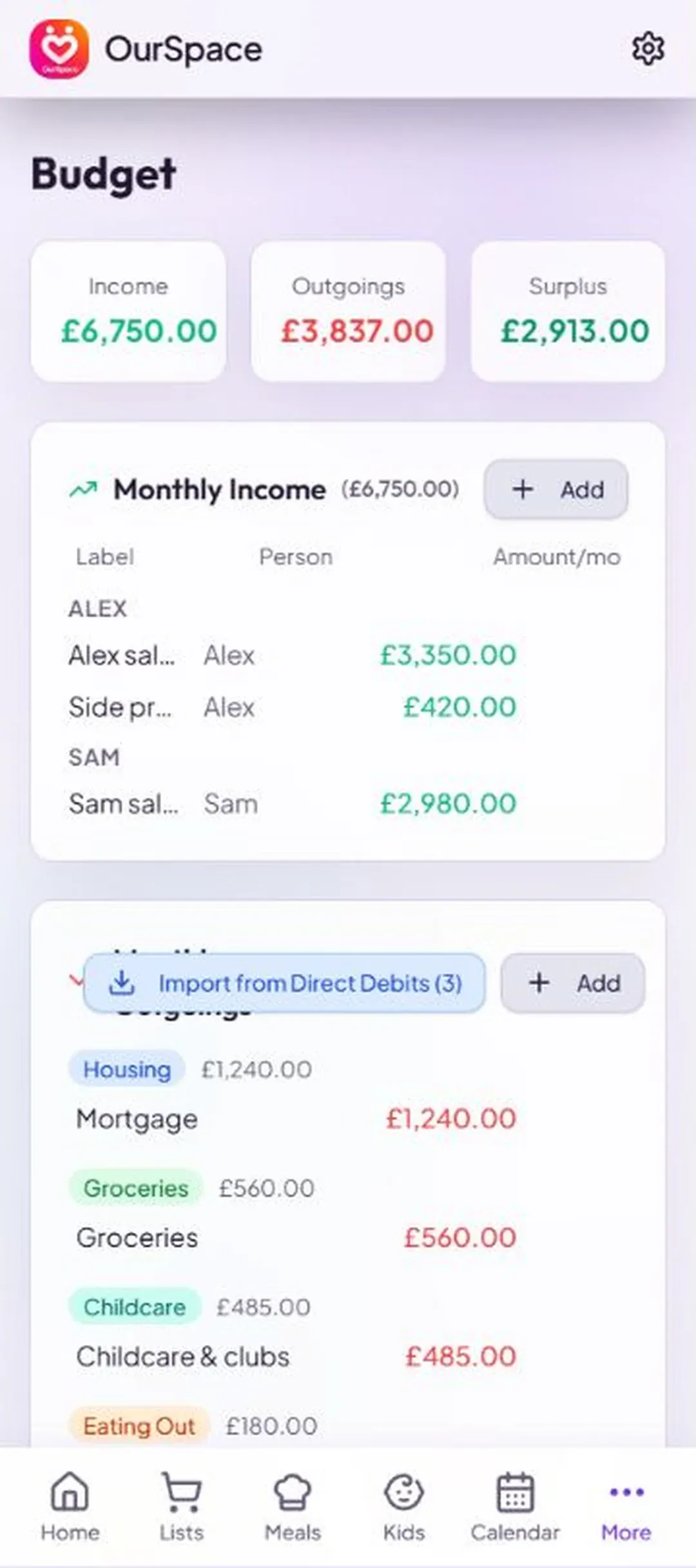
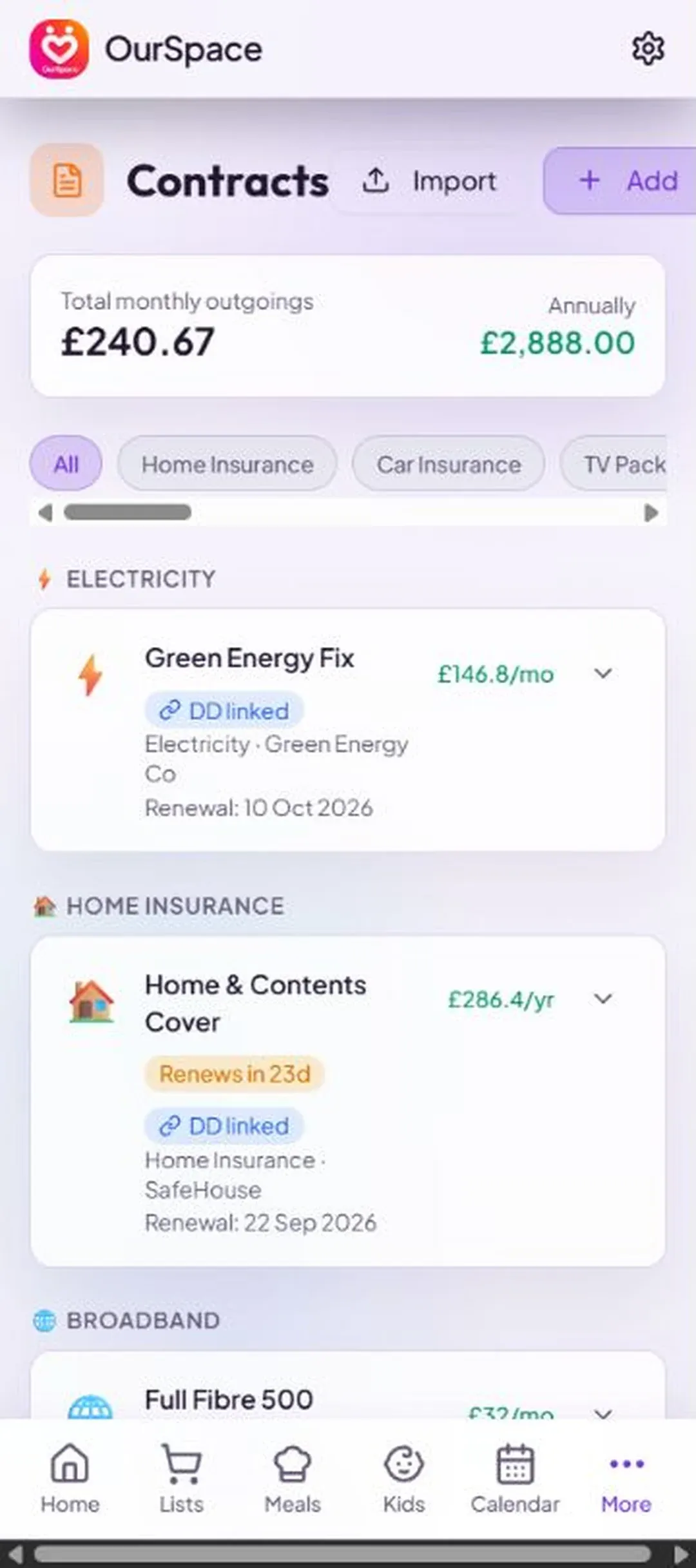
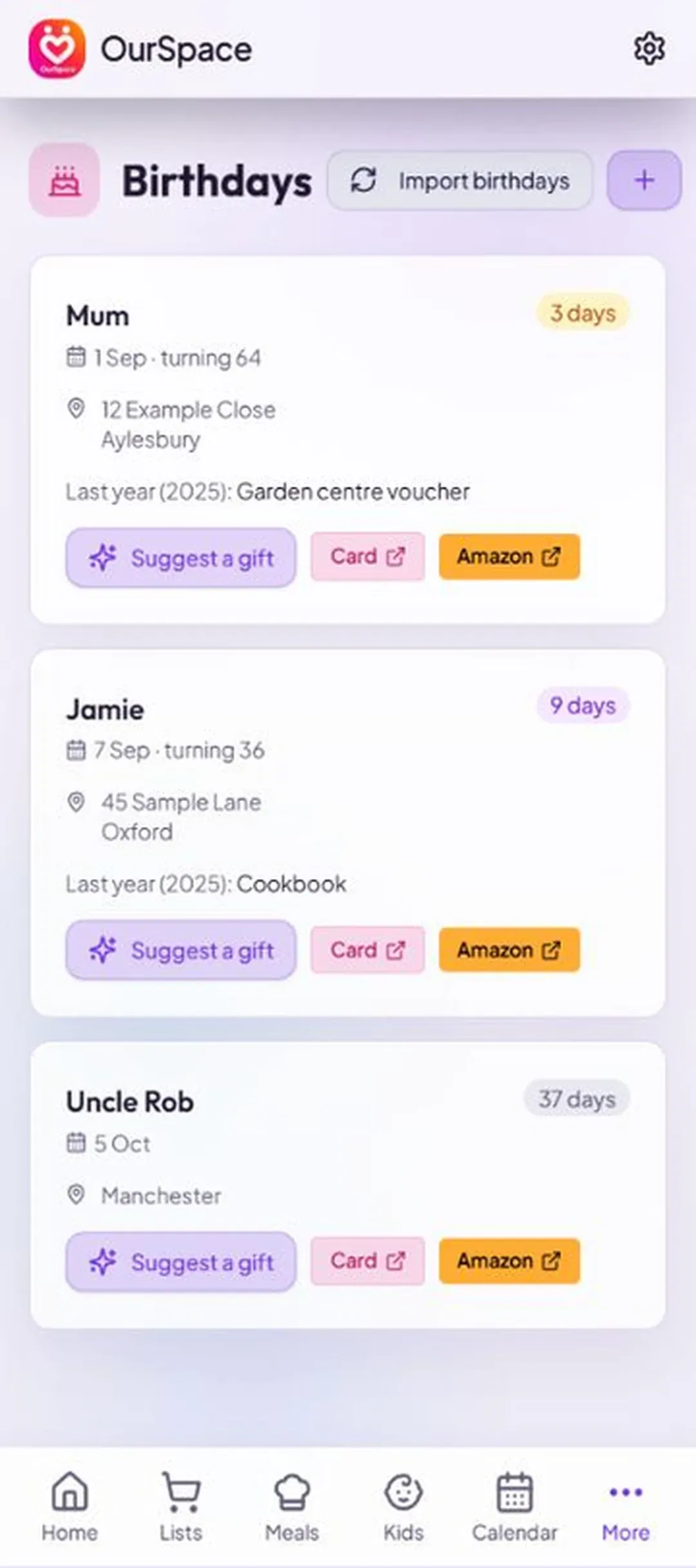
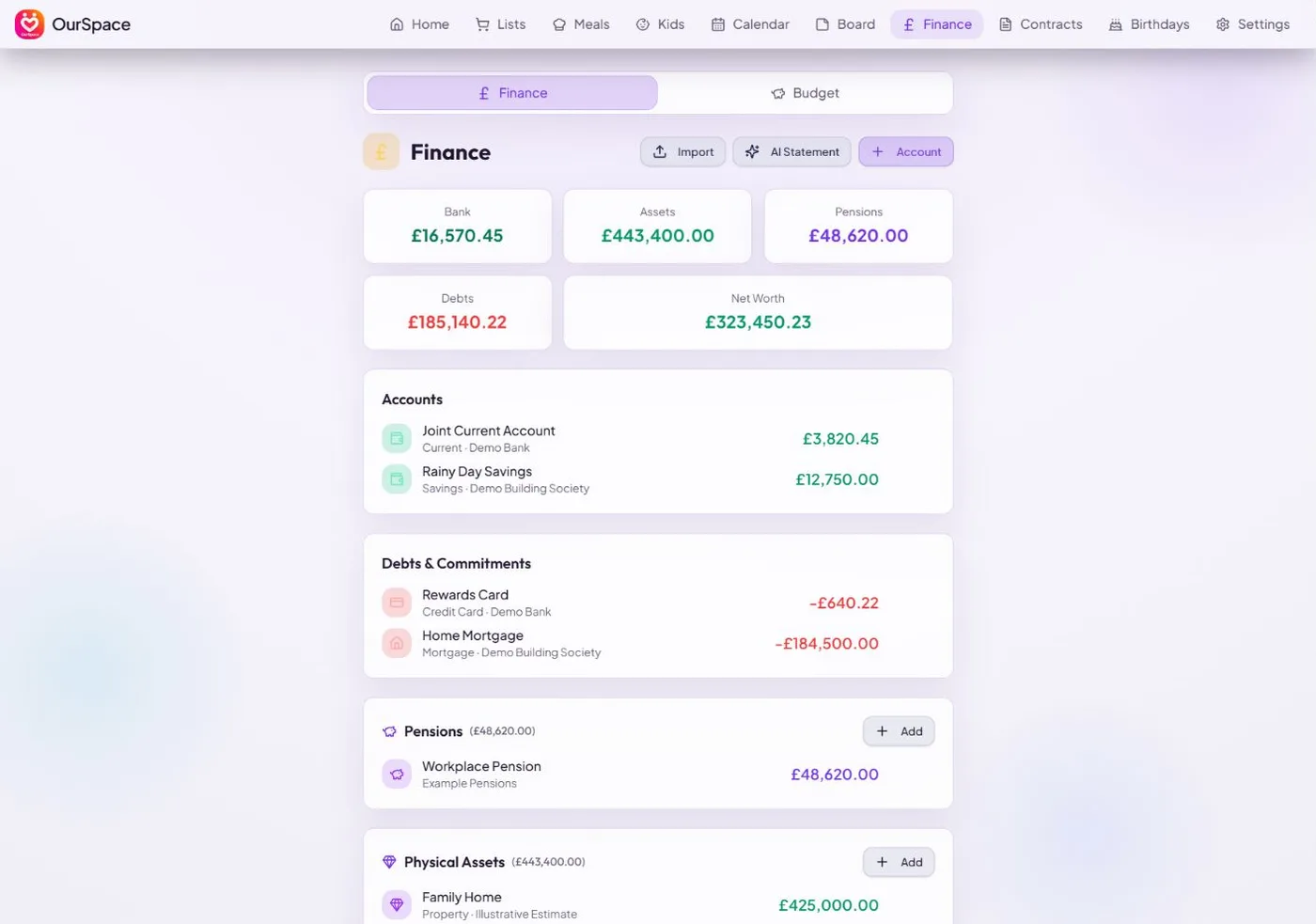
Your day, your lists and your money — side by side, so both of you are looking at the same thing.
Explore with a click, or use the arrow keys when a topic is selected.
New · AI connections
The plans, lists and little things that make life happen. Now in the conversation with your favourite AI assistant.
Connect your assistantPowered by MCP · Connected by you
Your shared world
Your favourite assistant. A more connected home.
A few things to try once you’re connected
“What’s still on the shopping list?”
Catch up on what your household needs.
“Add the school run to Thursday at half three.”
Keep your OurSpace calendar in the conversation.
“What are we paying for subscriptions this month?”
Make sense of the payments saved in OurSpace.
MCP — Model Context Protocol — connects your AI assistant to your apps. Choose Claude, ChatGPT or Le Chat, add the OurSpace server URL, then sign in to approve access. Cursor and other compatible MCP clients can connect too.
Setup is required. Availability depends on your assistant’s plan and workspace settings.
Open the connection guideNothing connects until you approve it. Your assistant acts with your account permissions and can read, create, change and delete household records. Check changes it makes: an assistant can misunderstand an instruction.
Data it accesses goes to the AI provider under their terms and privacy policy. OurSpace does not control what that provider does with it.
Understand access and how to disconnectThe problem
Most households don't fall apart over big things. They fall apart over a dentist appointment nobody wrote down, a bin day when nobody can remember whose turn it is, and a direct debit neither of you can account for. The tools that exist for this were mostly built for offices: a shared calendar assumes you both work the same week, a task app assumes somebody is the project manager, and a budgeting app assumes one person owns the money.
OurSpace is built on the household's assumptions instead: both of you see the same day, the same lists and the same money, and the app does the remembering.
What it does
Shared to-do lists that both of you can see and tick off. A calendar that shows the whole household's week, not just one person's. Budgets and money overviews you can talk about over the same screen. In full:
OurSpace also runs in the browser at our-space.me, and installs straight to your home screen from there. The stores are the easy route; the web app is the same thing.
A look inside
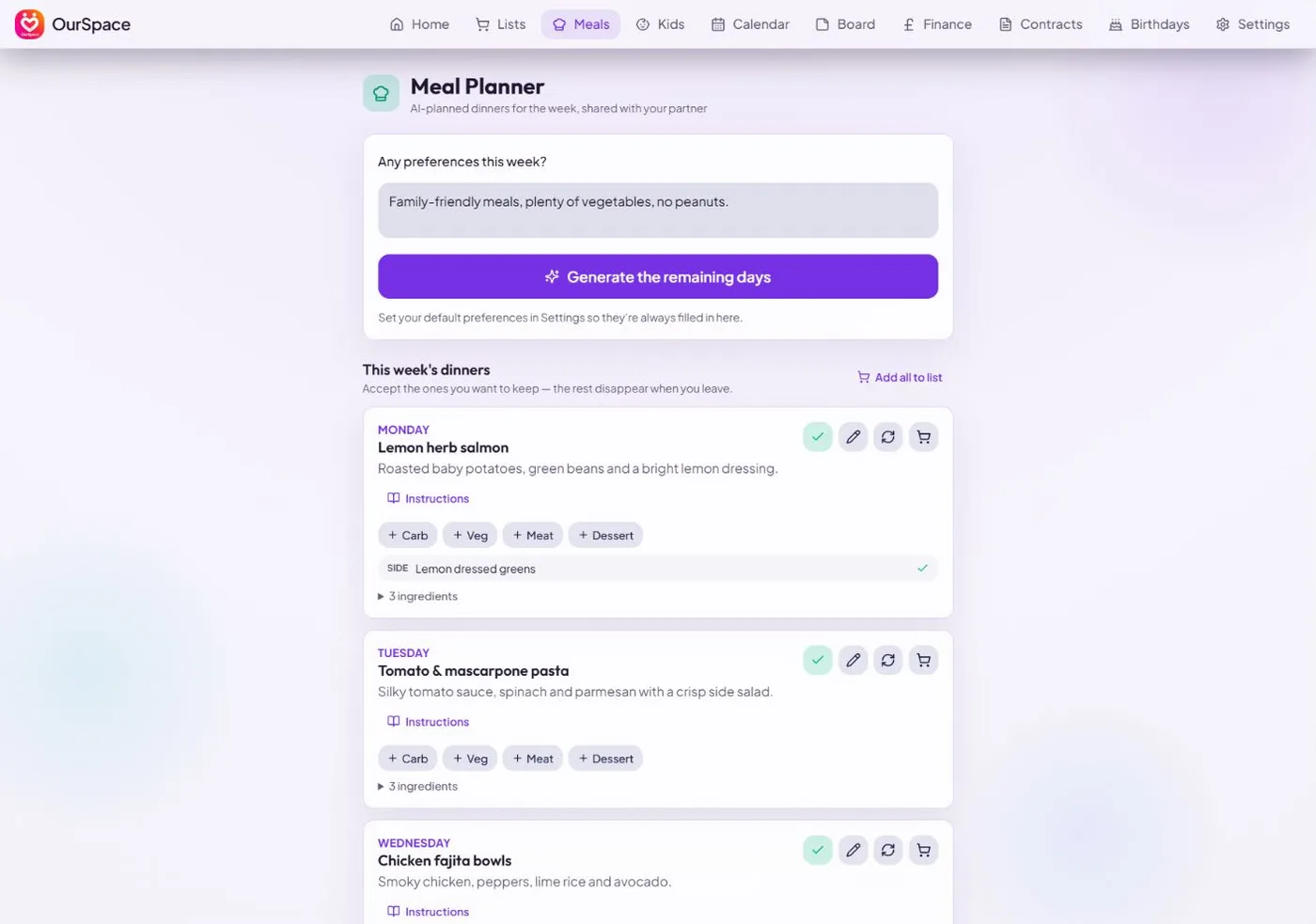
Your day, your lists and your money — side by side, so both of you are looking at the same thing. Shown here with sample data from a made-up household.
On a bigger screen
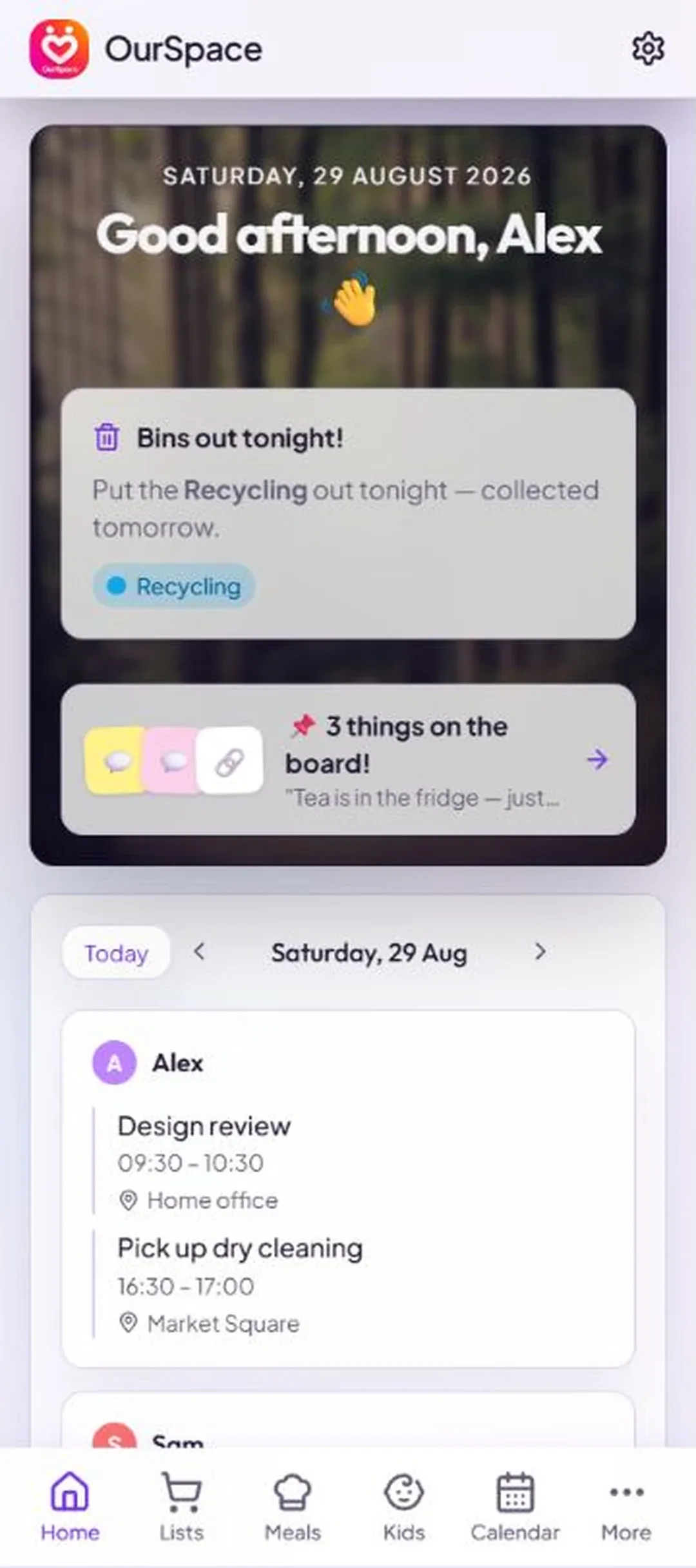
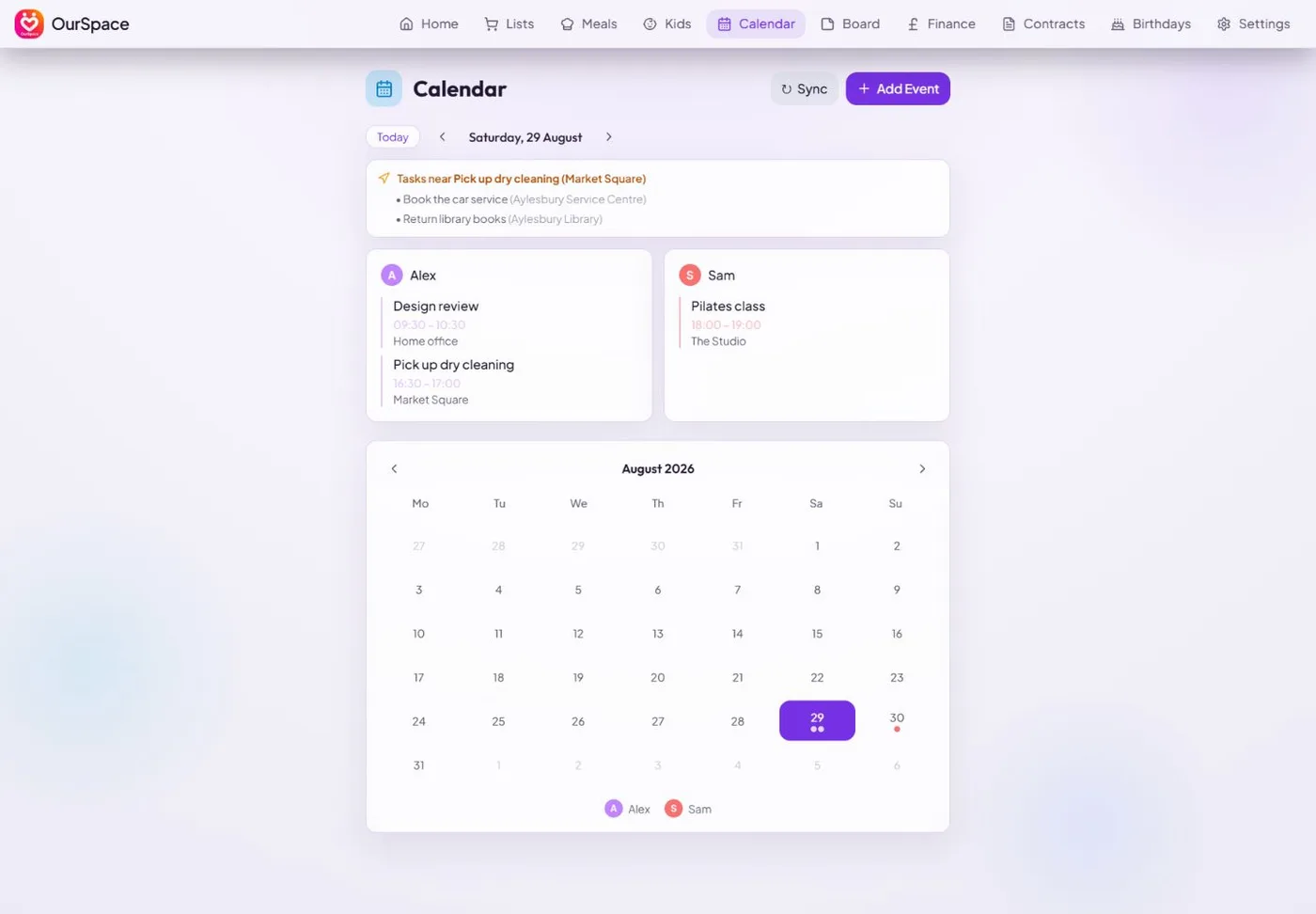
OurSpace is a web app as well as a phone one, so the same household opens at our-space.me in any browser — the same data, with more of it in front of you at once. Useful for the Sunday-night sort-out, when you're going through the month's money or planning the week's dinners properly.
What it costs
OurSpace is Lifetime Premium: a one-off £2.99 payment including VAT for the whole household. On iPhone, payment is handled by the App Store. On Android and on the web, users sign in and pay through the Stripe checkout. There is no free trial, no subscription, no advert in the corner, and no paid tier hiding behind a free one.
It isn't funded by advertising, and nothing about your household is sold to anyone. The AI features we build in each get a deliberately narrow slice and no more: the Catch Up digest sees the names of things and who they're for, never your balances, locations or calendar events. The one exception is the optional statement reader: it passes the PDF you give it to Google Gemini to be read, and honestly, we can't promise you that Google or the platform underneath us never retains or trains on it — so it only runs on a file you choose to upload, and it changes nothing until you approve each suggestion. Those narrow limits are limits on what OurSpace sends by itself, and they don't hold for an AI assistant you connect yourself, which can fetch any of it when you ask (that's described further up the page, and set out in full in the privacy policy). Google Calendar is connected read-only, so OurSpace can show your diary but never alter it. The household handbook is the one thing you can choose to show someone outside the household, and even then only the entries you've marked as shareable, only for as long as the link lasts, and never to an AI. Link with your partner when you're ready and unlink any time; deleting your account removes the lot. The full detail is in the privacy policy.
The details
The screens are the easy part. The point of OurSpace is the small connections it makes on your behalf, so less rests on one person's memory.
Open the app and a short AI-written digest covers what changed while you were away, so you're already up to date before anyone has to ask.
Tell it your tastes once and the meal planner drafts a week of dinners, with sides if you want them and step-by-step cooking instructions. Accept the ones you fancy, swap any day, and every ingredient lands on the shared shopping list. Save the winners to your recipe library and the next plan starts from them — favourites first, then whatever you haven't had for a while — before it reaches for new ideas.
Every household has the same ten questions from a sitter or a visiting parent: the Wi-Fi, the key safe, the stopcock, the bins, the vet. Write each one down once, mark which ones a guest may see, and hand them a link that opens in any browser with no app and no sign-in. It shows the next bin day worked out for them, counts how often it's been opened, and stops working the moment you switch it off.
A week's warning, the age they're turning (once you've told it the year), and an AI-written gift idea with a link straight to Amazon. Mark a birthday as a surprise and it hides from your partner; it's the only thing in the app that does.
Give a contract its monthly cost and payment day and OurSpace creates the matching direct debit, ready to pull into the budget in one tap. The renewal is flagged in the app ahead of time, with a price-comparison link where one exists.
Money apps ask you to type in a life before they're any use, which is where most people stop. OurSpace gives you a formatted spreadsheet to fill in instead — or you hand it a bank statement PDF and it reads the balance and the payments that repeat, then puts them in front of you as a list to approve. Nothing is saved until you say so.
Tasks carry a place as well as a date. Two jobs near each other are flagged as one trip, and when a calendar event has a location, the tasks you could do on the way are shown beside it.
Pin a sticky note, a doodle drawn with a finger, or a link for later. Your partner gets a nudge on their phone, and the board clears itself after 24 hours; little moments rather than clutter.
When your partner adds a task or a shopping item, your phone gets a push notification. Which kinds you get is up to each of you, in Settings.
Link accounts with a six-character couple code and you both see the same household from then on. There's no team, no admin and no permissions matrix; neither of you is anyone's assistant.
Where it comes from
EdwardsApps mostly builds operational software for the construction trade, where the whole job is keeping several people working from the same information. OurSpace came from noticing that a household faces exactly the same problem (two people acting on slightly different versions of the week) with none of the tools to meet it.
It's made in the UK: designed and built in Buckinghamshire, priced in pounds, with bin rotations and renewal reminders that fit how British households actually run, and supported by the person who wrote it.
It's actively developed, and most of what gets built next comes from households saying where it doesn't fit. If your week works differently from an assumption in the app, that's worth an email; it usually means the assumption is wrong.
Guides
Written by the developer and meant to be useful whether or not you use OurSpace: Google's own methods covered first, competitors included, prices in pounds.
Have a look around first at our-space.me, or email peter@edwardsapps.co.uk and you'll hear back from the person who built it.
Email EdwardsApps