Company subscription
£99per company, per month, including VAT
Pay after your 14-day free trial. No card is needed to start.

CrewBook
For surfacing & groundworks
Job management for surfacing and groundworks contractors — scheduling, costing, invoicing and CIS in one place. CrewBook was built inside a working contractor, and it runs that firm today.
14 days free · no card neededThen £99/month per company, including VAT.
Already on CrewBook? Read the user guide — online, or as a PDF to keep.
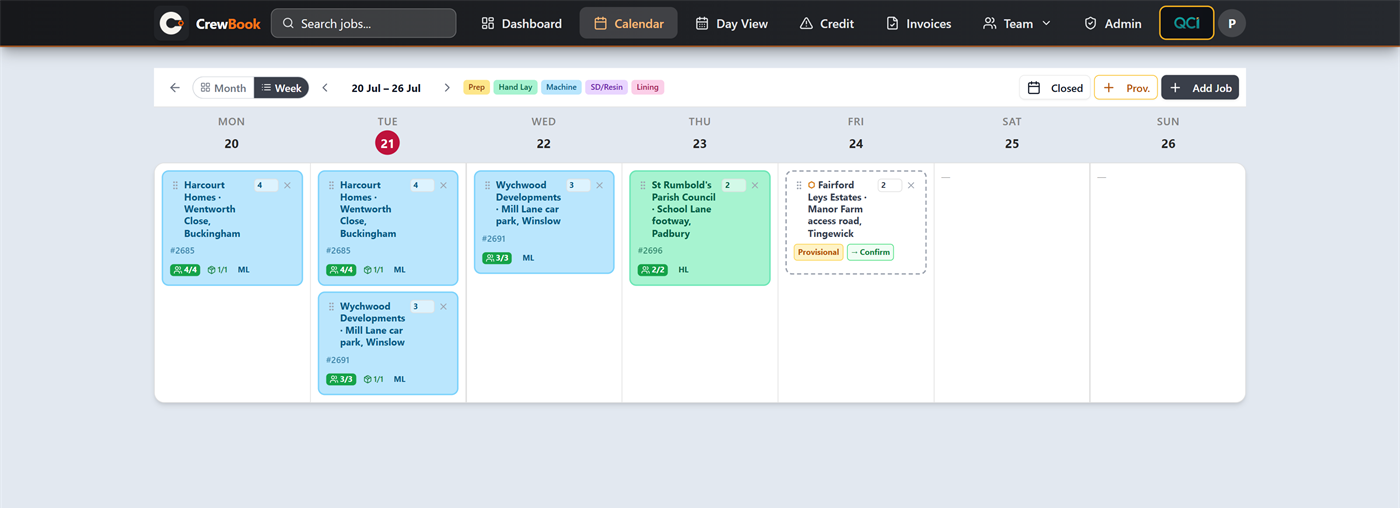
The real CrewBook schedule. Select the screen to take a closer look.
Inside CrewBook
Follow the job from the schedule to the invoice. Choose the part of the working day you want to see.
A closer look 05 views
CrewBook, up close.Real screens. The details that make a difference.
CrewBook / The schedule
Every job, every crew, every day in one view.
Explore with a click, or use the arrow keys when a topic is selected.
The problem
Jobs on a whiteboard. Crews organised through WhatsApp threads. Day rates and materials scribbled on the back of delivery notes. Invoices built by hand in a spreadsheet, and CIS worked out at the kitchen table on the last weekend of the month. It works — until two jobs move, a crew splits, and the office is the last to hear.
CrewBook gathers that into one place, so the schedule, the costs and the invoices agree with each other.
One company-wide price
There is time to put real jobs through CrewBook before you decide. After the trial, one monthly subscription covers the company.
What it does
Every job, every crew, every day in one view. Move a job and the rest of the picture moves with it, so nobody is working from last week's whiteboard.
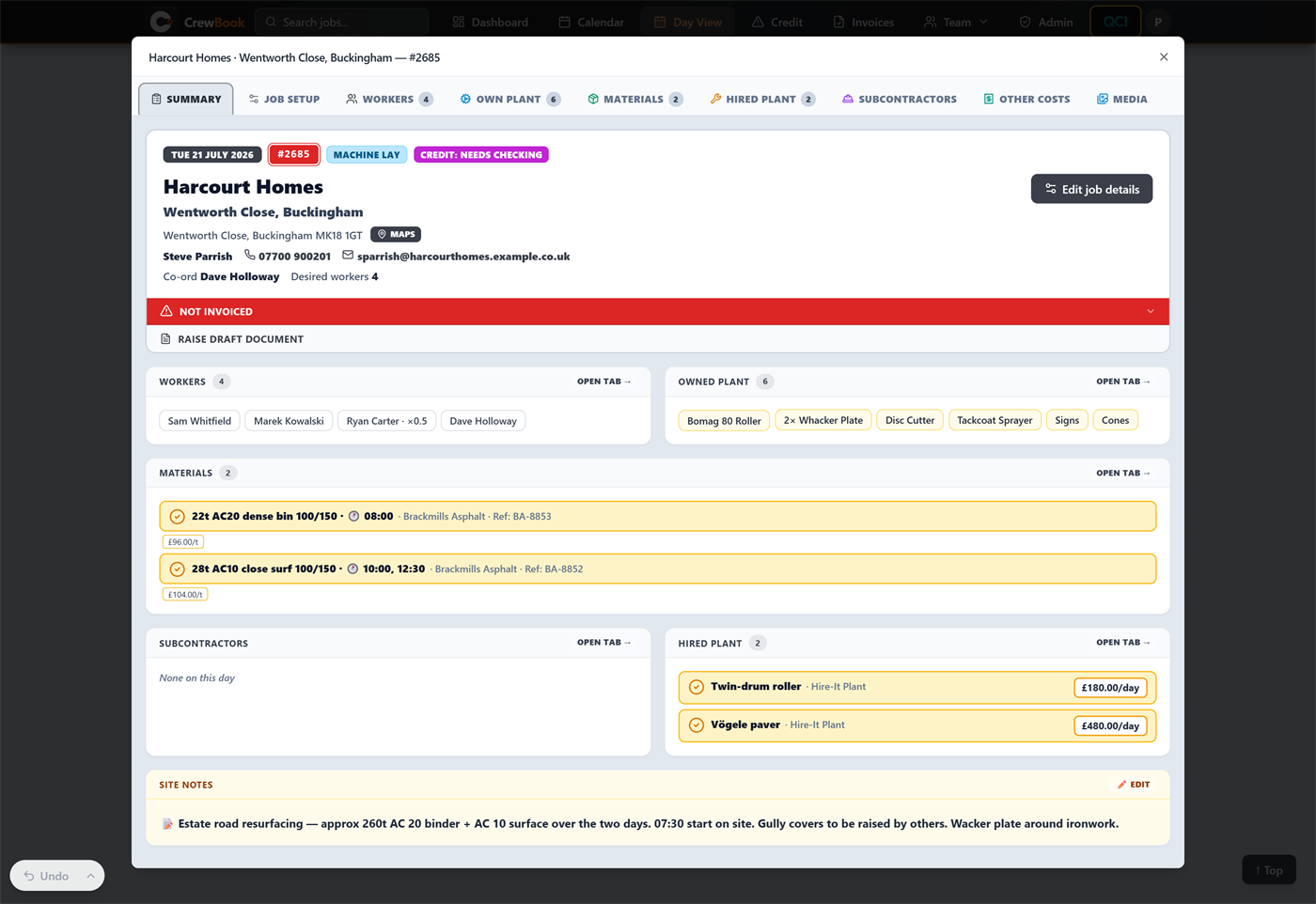
Open any job and it is all there — client and contact, coordinator, crew, owned plant, booked materials with delivery times, hired plant with day rates, and the site notes the crew need. Nothing to chase round the office.
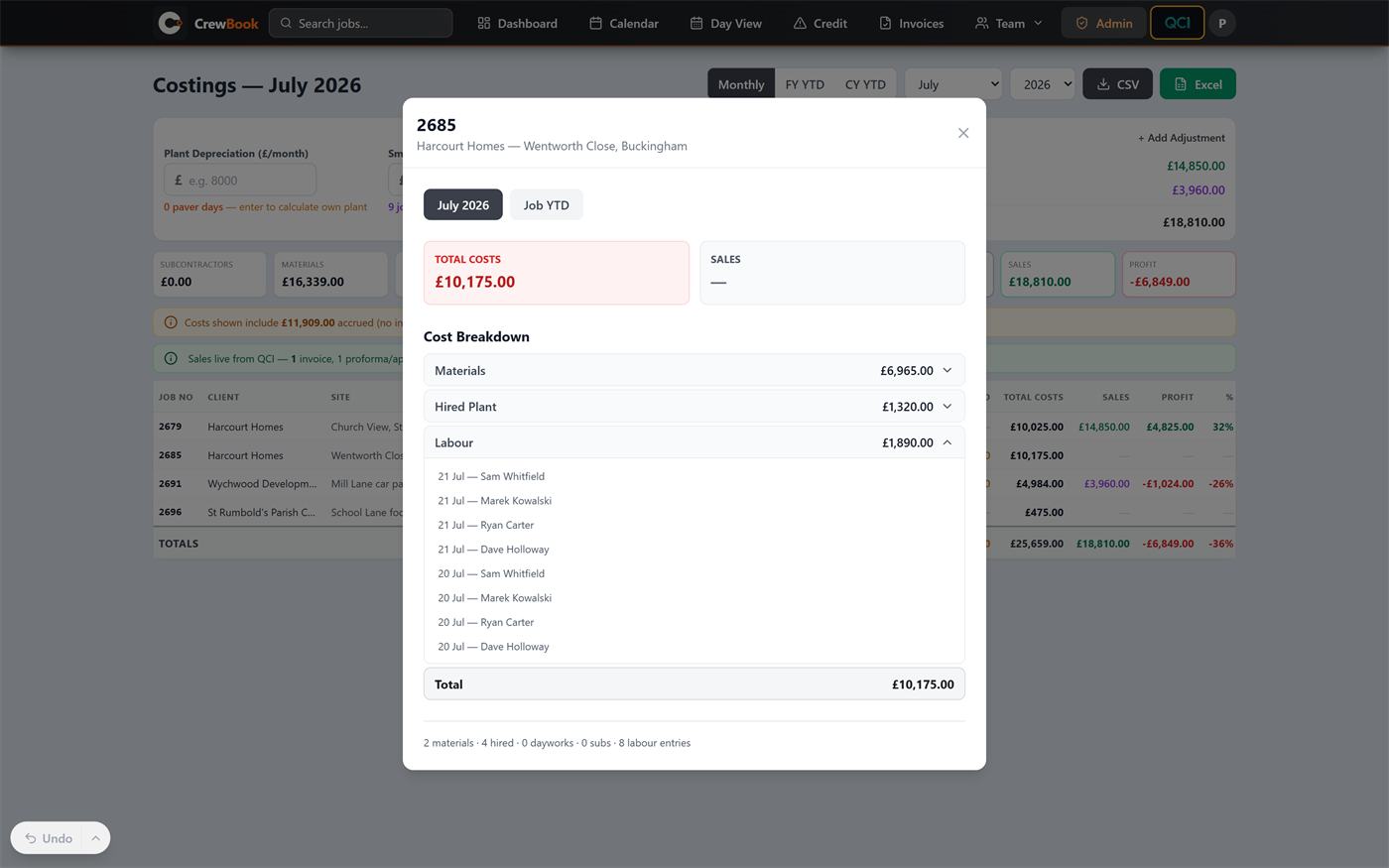
Day rates, materials and plant go against the job as it happens, rather than from memory a fortnight later — so a job's real cost is visible while there is still time to act on it.
Invoices and proformas are built straight from the job, using the numbers captured on site rather than re-typed later — so the invoice matches the work. Every document email is kept, so you can read exactly what a client received and send it again to a different address if the first one was wrong.
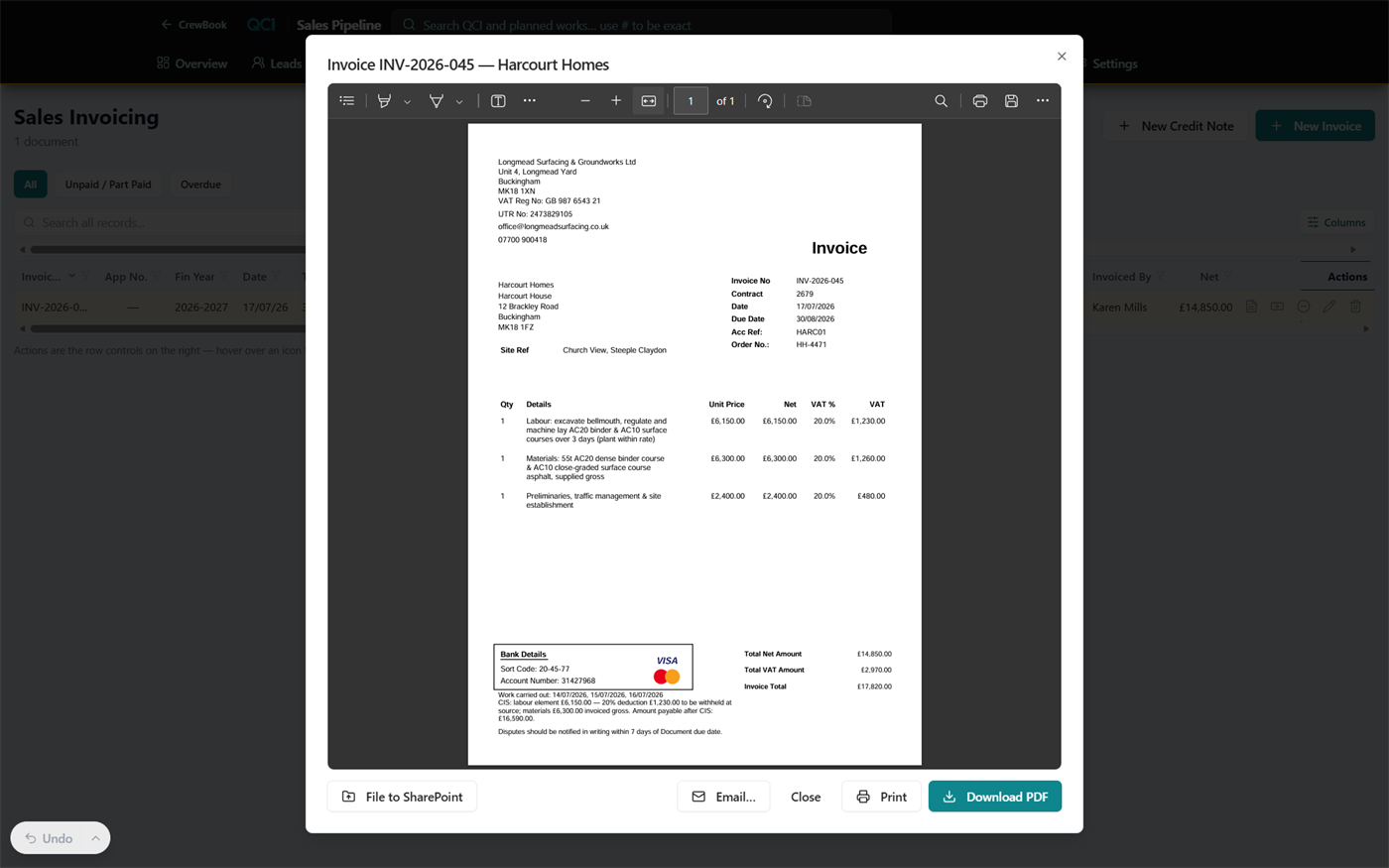
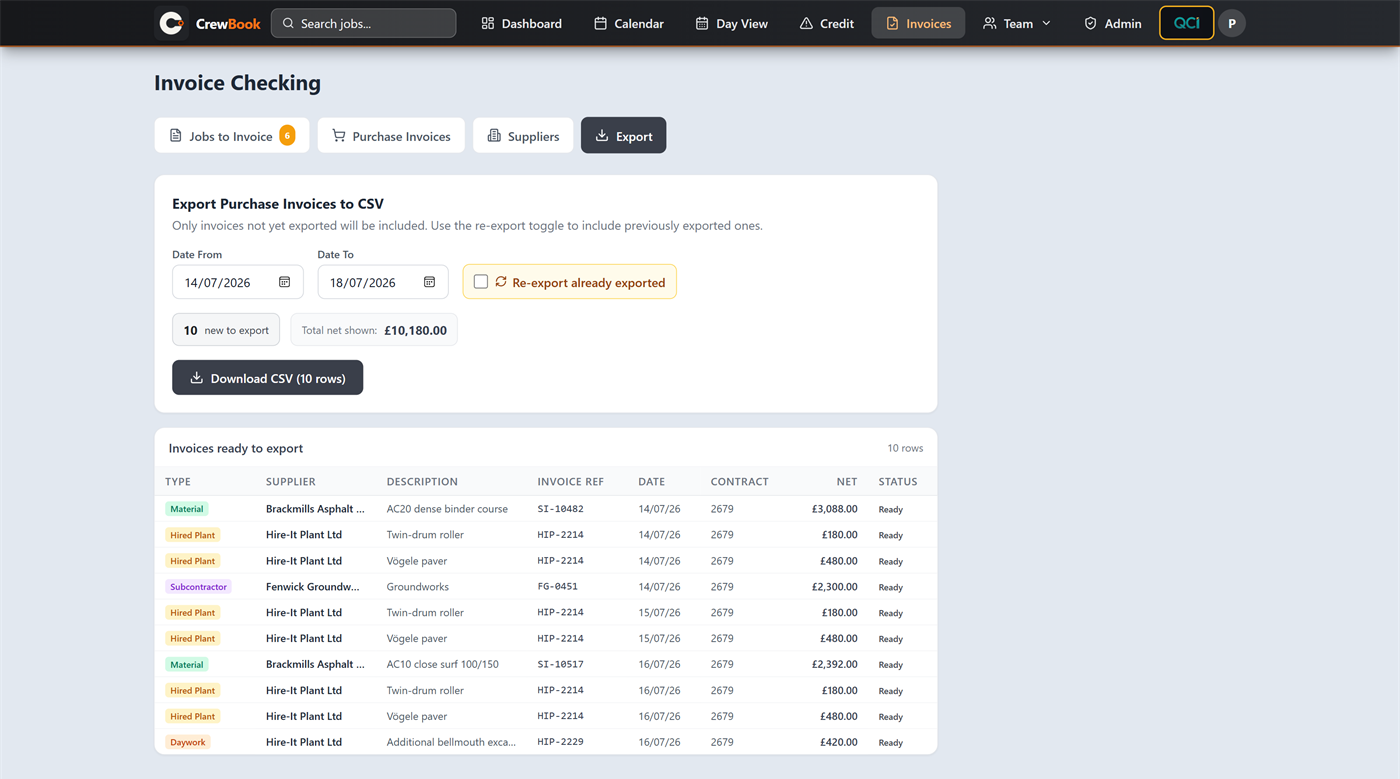
CrewBook routes every invoice line the way CIS expects — labour netted for deduction and materials paid gross, gross-status lump sums left untouched, and non-CIS work left alone — then exports it clean to Sage 50, which takes the re-keying out of month end.
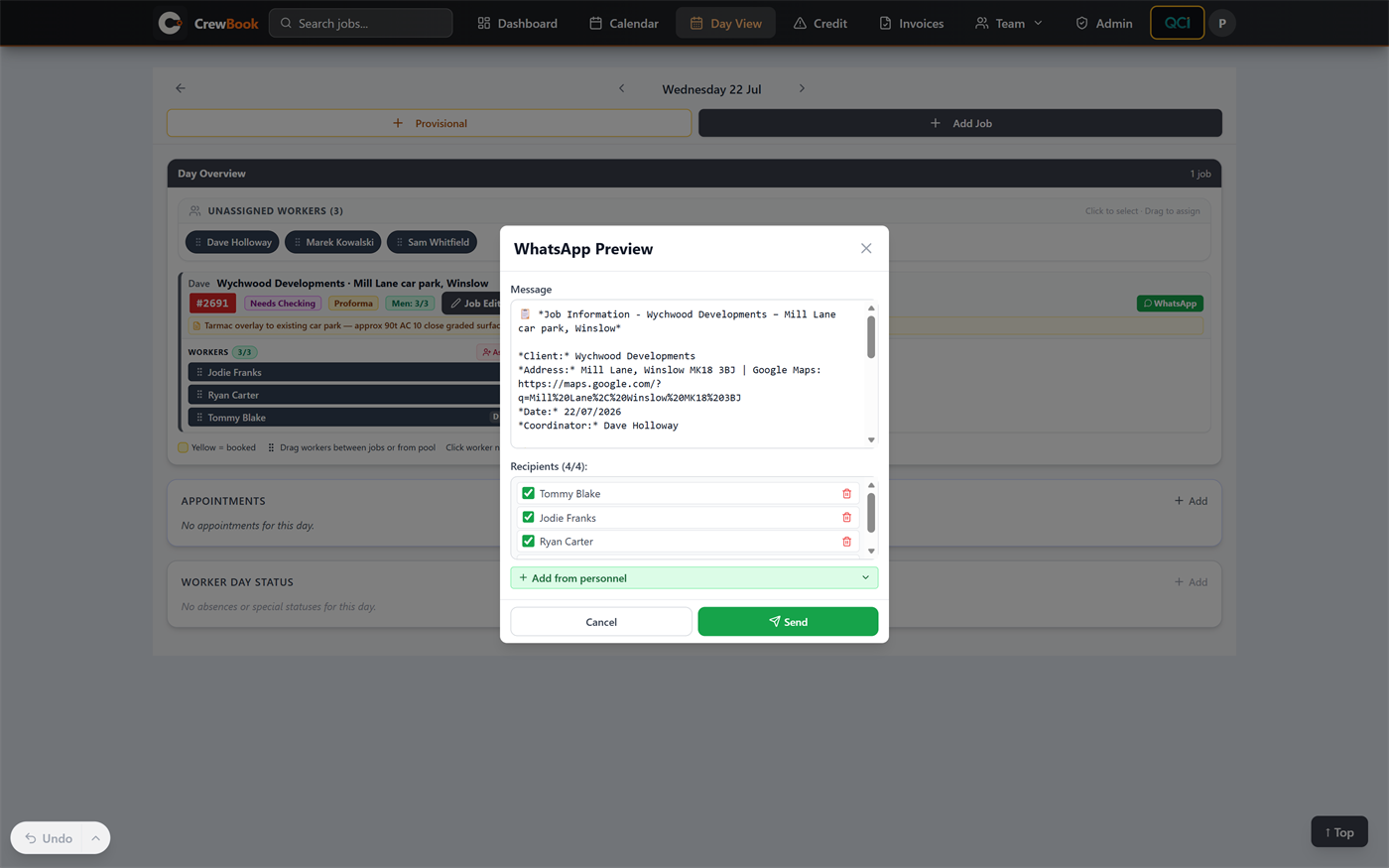
Crews get the job where they already look: WhatsApp. Where, when and what is needed, sent from the schedule rather than typed out each evening.
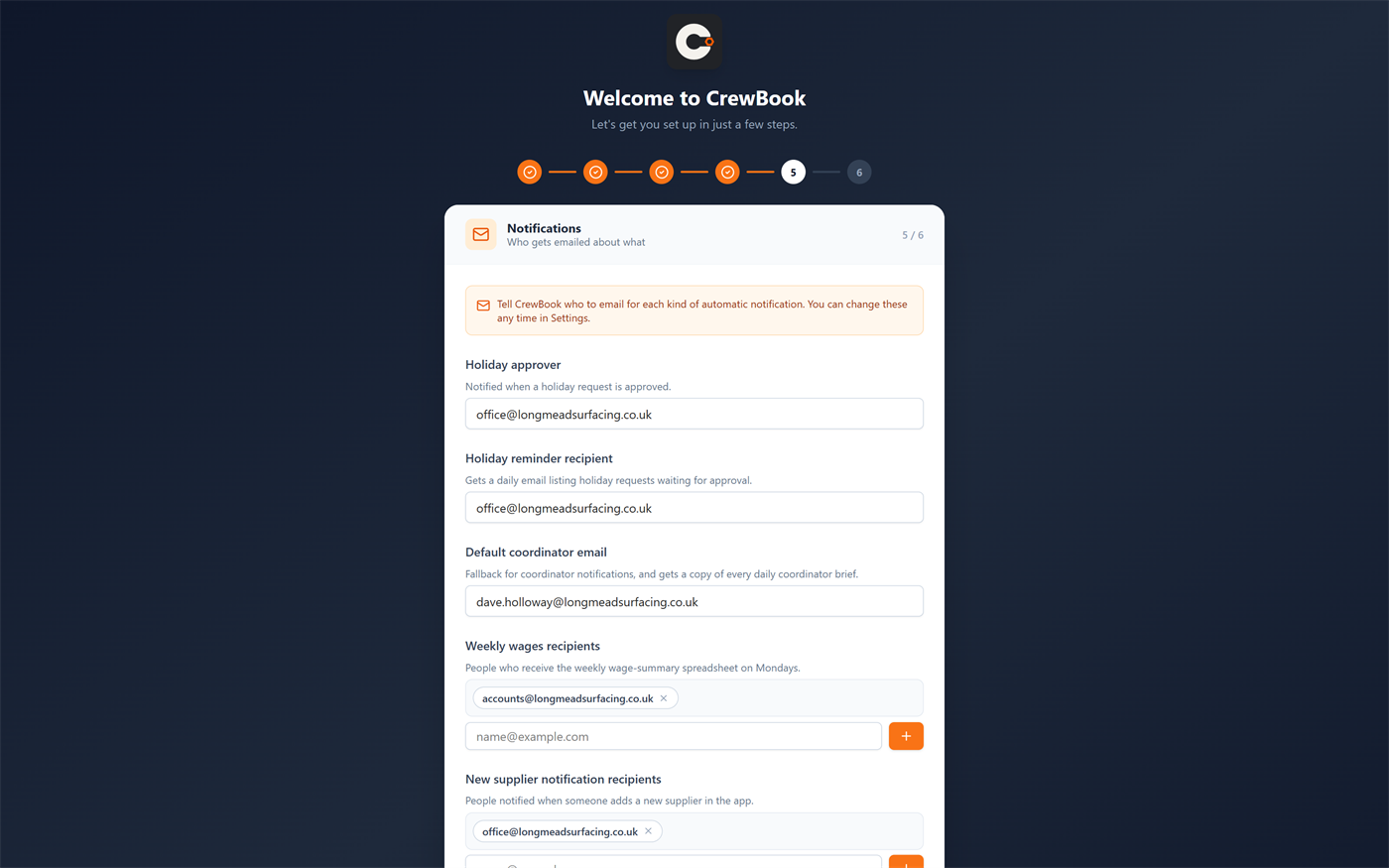
Each coordinator gets tomorrow's operations brief by email every day — crew, materials, plant and credit status for their jobs. The weekly wage summary lands with the office on Mondays, and holiday approvals notify the right people. Set them up once and they carry on.
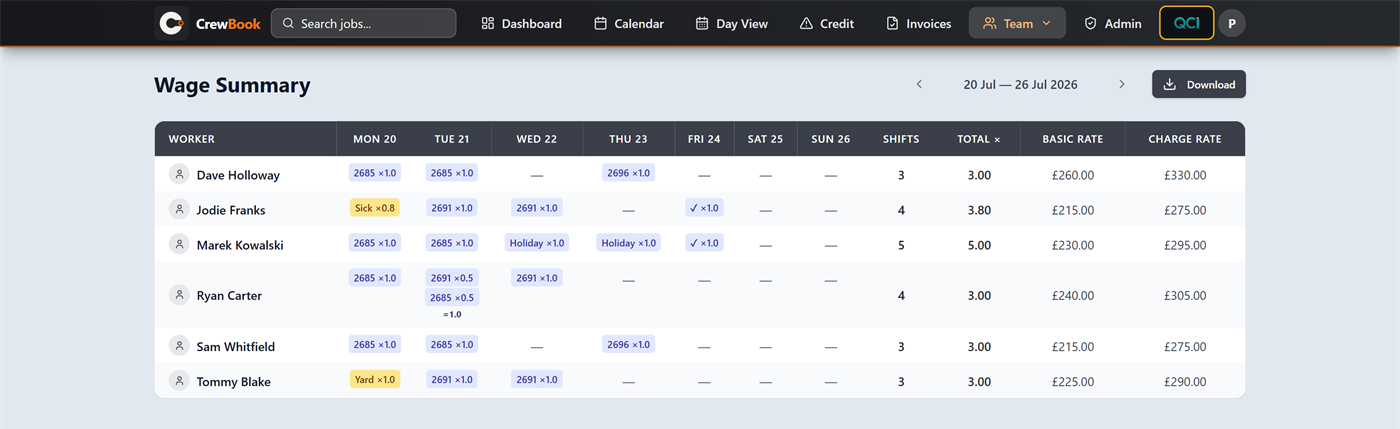
The week's shifts become the week's wage sheet — split days, sick, yard and holiday all accounted for, basic and charge rates side by side, exported to Excel in one click. The same day statuses drive an Absence & Cost report: how many times each person has been off, on what dates, and what it cost you, counted as occasions rather than days (Friday and Monday off is one spell of sickness, not two).
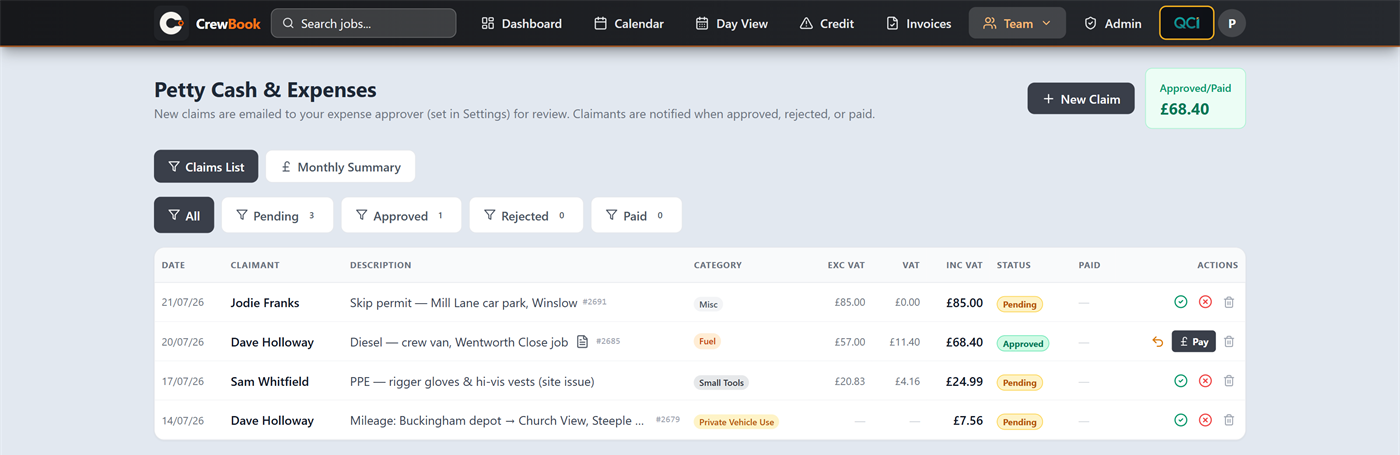
Crews claim diesel, permits and PPE with the receipt attached and the job number against the line; the office approves, rejects or pays with the VAT already split out.
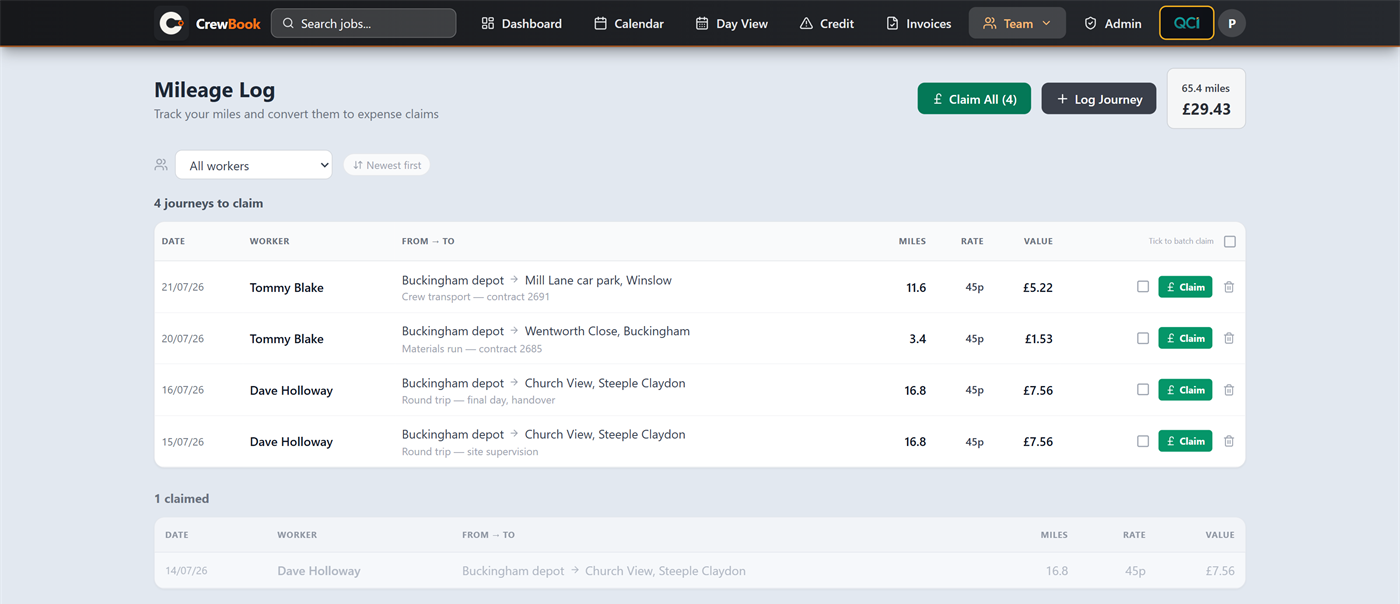
Journeys are logged against the job, then turned into expense claims in one click — batch the week's trips or claim them one at a time.
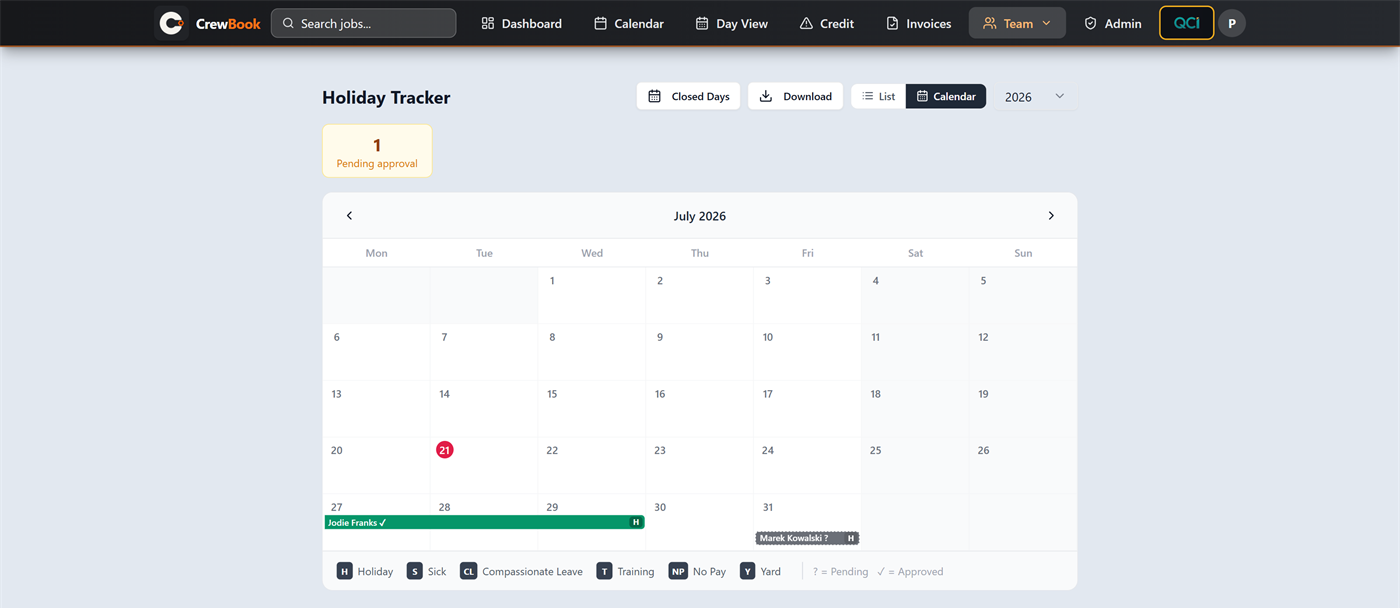
Requests, approvals and allowances together — approved leave shows on the calendar, pending requests are flagged, and remaining days count themselves.
Built in: QCI
QCI is CrewBook's sales side — close to a second application inside the app. Leads, quotes and chase-ups, contracts, invoicing, proformas and applications for payment, retentions and credit control each get their own register, and the pipeline runs the way contracting actually works: lead → quote → contract → invoice → chase → retention.
Because it lives inside CrewBook, nothing is re-typed. A won quote becomes a contract the schedule already knows about, invoices land against the same job the costs were captured on, and Costings shows sales against cost per contract without anyone reconciling spreadsheets.
And it chases the money. Every open invoice ages from its due date and climbs a ladder you set — a reminder before it falls due, then chasers at 7, 21 and 45 days over, one email per client per run, under your company name. It knows when not to, as well: a client who has promised to pay by Friday is left alone until Friday, and so is one on hold, one under your threshold or one already chased this week. Statements of account go out monthly as a PDF, matured retention gets its own release request, and a client who clears their account gets a thank-you. Test mode redirects everything to your own address until you clear it, a dry run tells you what today would send without sending it, and every email is logged so a stage is not fired twice.
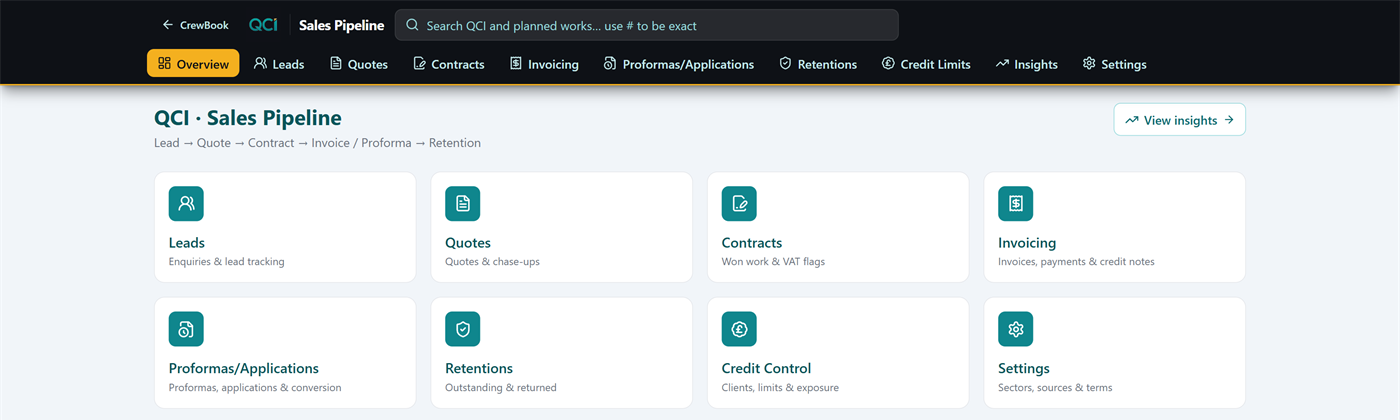
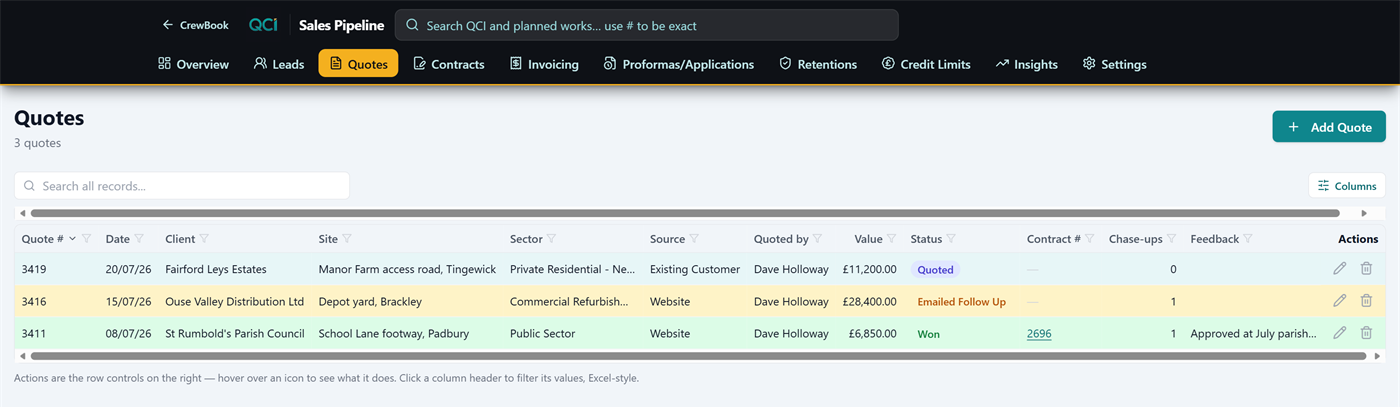
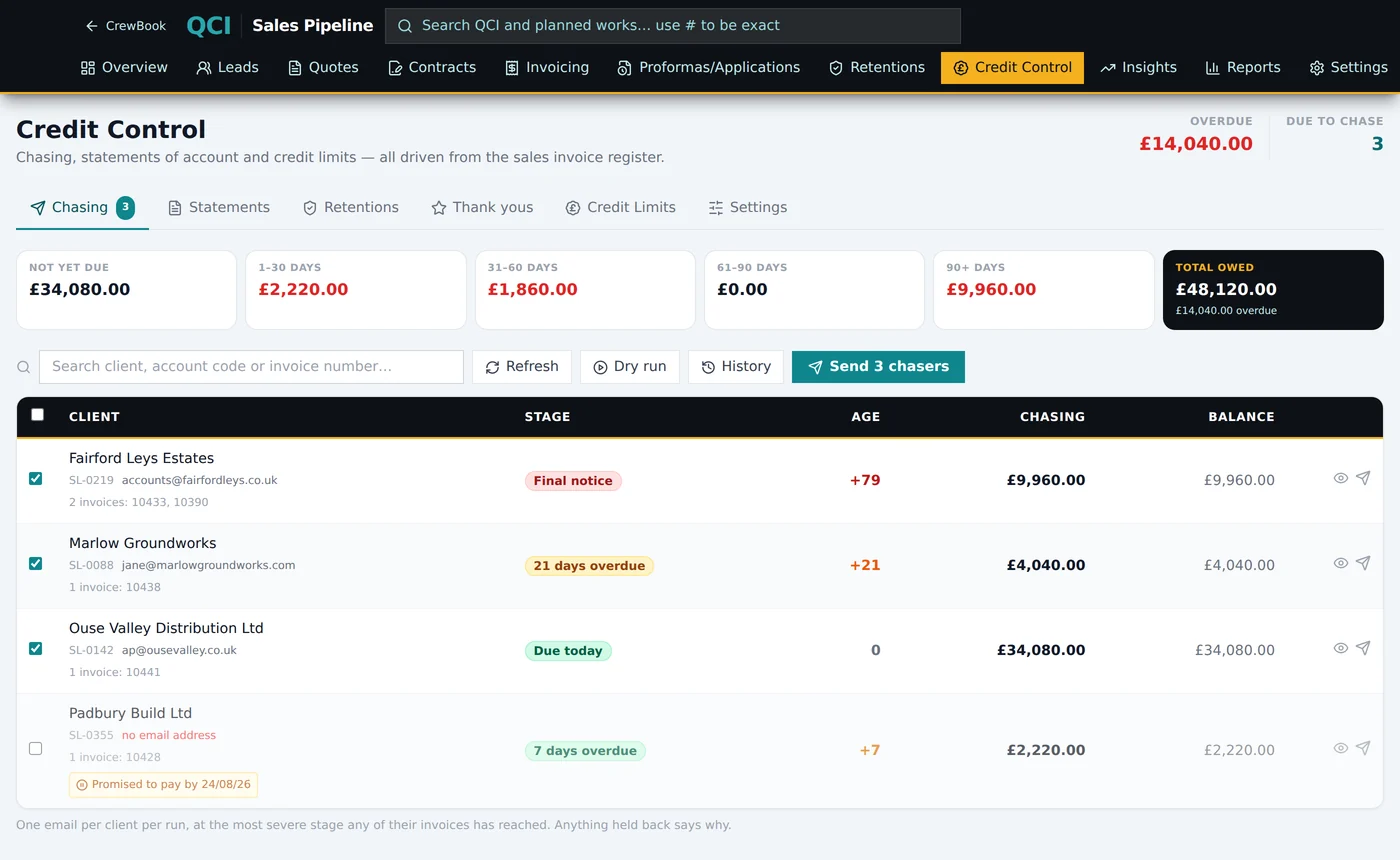
Only need the sales side? The same pipeline is available on its own as CrewQCI — £55 a month or £550 a year per company including VAT, without the scheduling, crews and job costing.
Where it comes from
CrewBook was built inside a working surfacing and groundworks firm, and it has run that firm's scheduling, costing and invoicing every working day since. When something didn't survive contact with a real Monday morning, it got fixed — the person building it was also the one using it.
Peter will walk you through CrewBook on jobs shaped like yours, and say if he doesn't think it suits your firm. Or have a look yourself at crewbook.me. Already a customer? The user guide covers every page, step by step.
Request a demo